Menu

スクロール / ページング

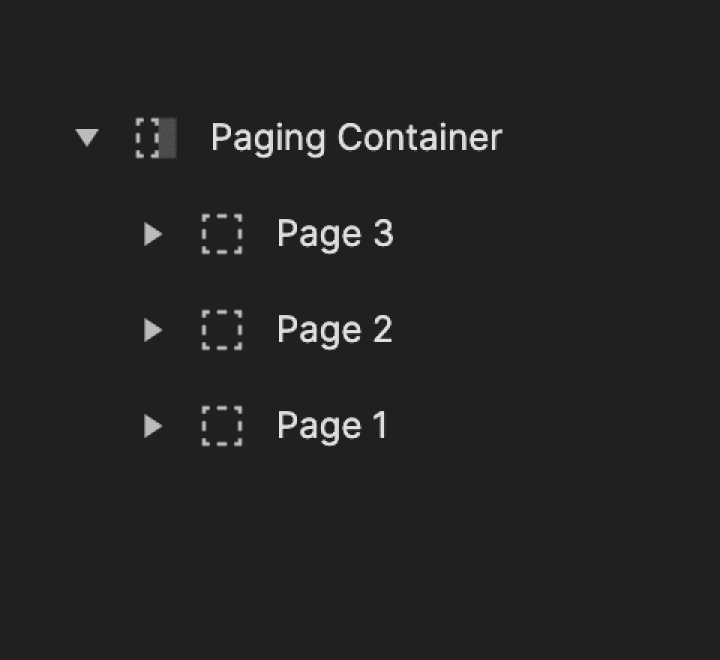
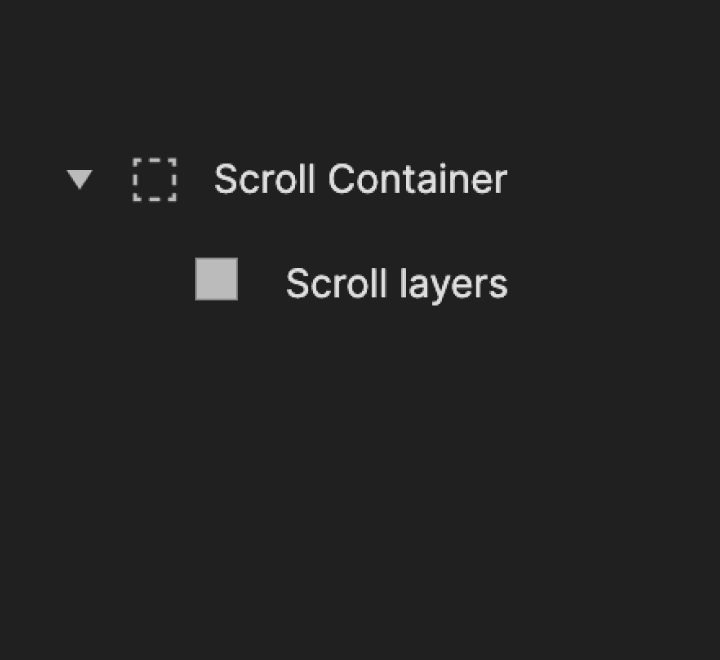
コンテナのスクロールまたはページングのプロパティは、プロパティパネルから調整できます。コンテナ内でスクロールまたはページングレイヤーを有効にするには、レイヤーパネルからターゲットコンテナへドラッグします。

スクロール

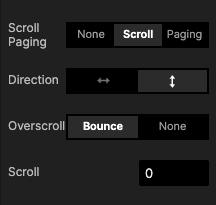
このオプションでは、横方向または縦方向のスクロールを有効にできます。スクロールのインタラクションが問題なく動作するように、子レイヤーがスクロールコンテナの境界ボックスを超えて広がっていることを確認してください。

{'_type': 'localeString', 'en': 'container scroll'}


{'_type': 'localeString', 'en': 'container scroll'}

プロパティ

Direction

The region towards which the finger moves

Overscroll

You have the option to turn on or off the bounce effect that appears when a user scrolls too far

Scroll

Sets the starting distance within your container, displaying the content from a specified point in the scroll or paging container

Direction

The region towards which the finger moves

Overscroll

You have the option to turn on or off the bounce effect that appears when a user scrolls too far

Scroll

Sets the starting distance within your container, displaying the content from a specified point in the scroll or paging container

ページング

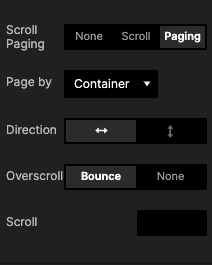
ページングとは、選択した方向(横または縦)に応じて、高さまたは幅に相当する位置にスナップするコンテナを指します。


{'_type': 'localeString', 'en': 'Paging'}


{'_type': 'localeString', 'en': 'Paging'}

プロパティ

Page by [Container]

The container moves the equivalent of its width

Page by [Custom]

You can set a custom paging width. It’s useful, for example, when the layers inside the container have margins

Direction

The region towards which the finger moves

Overscroll

You have the option to turn on or off the bounce effect that appears when a user scrolls too far

Scroll

Sets the starting distance within your container, displaying the content from a specified point in the scroll or paging container

Page by [Container]

The container moves the equivalent of its width

Page by [Custom]

You can set a custom paging width. It’s useful, for example, when the layers inside the container have margins

Direction

The region towards which the finger moves

Overscroll

You have the option to turn on or off the bounce effect that appears when a user scrolls too far

Scroll

Sets the starting distance within your container, displaying the content from a specified point in the scroll or paging container

スクロールとページングの使用例

スクロールとページングを、よくあるシナリオで効果的に活用する方法を学びましょう。モバイルおよびデスクトップアプリ向けに、縦横のスクロールビューを作成する方法を学べます。スクロールプロパティを正しく設定し、スクロール関連のインタラクションに適したトリガーとレスポンスを選ぶためのポイントも確認できます。

プロトタイプを実際に試し、ダウンロードしてインタラクションを確認しましょう。さらに、各プロトタイプの作成手順を理解するために、チュートリアルもご覧ください。

必要な使用例を以下から選んでください:

SNSアプリを閲覧する

最近の多くのSNSアプリと同じように、横スクロールと縦スクロールを使ってさまざまなプロフィールや写真を閲覧できます。アプリと同じようなUIを保つために、スクロールビューに余白を追加する方法(スクロールの末尾にスペースを設ける方法)を学びましょう。


{'_type': 'localeString', 'en': 'browsing through a social media app'}

プロトタイプを試す を実際に試してみましょう。

学ぶ ことで、このプロトタイプの作成方法を手順に沿って学びましょう。

メッセージングアプリでの縦スクロール

メッセージングアプリやメールの受信トレイで、上下にスクロールしてメッセージを表示します。スクロールコンテナを作成し、カスタムの開始スクロール位置(たとえば下端から)を設定する方法を学びましょう。


{'_type': 'localeString', 'en': 'vertical scroll in a messaging app'}

プロトタイプを試す を実際に試してみましょう。

学ぶ ことで、このプロトタイプの作成方法を手順に沿って学びましょう。

ループするスクロールカルーセル

オンラインショッピングサイトや動画配信プラットフォームの画像ギャラリーのように、スライドショーを作成できます。 ページングコンテナを使ってカルーセルビューを作成し、スクロール中に変数を使って画像名を切り替える方法を学びましょう。


{'_type': 'localeString', 'en': 'looping scroll carousel'}

プロトタイプを試す を実際に試してみましょう。

学ぶ ことで、このプロトタイプの作成方法を手順に沿って学びましょう。

ホイールピッカー

日付や時刻などを選ぶためのホイールピッカーを自分で作成しましょう。ホイールピッカーを使うと、複数の選択肢を上下にすばやくスクロールできます。画面の表示領域を超えてしまい、オプション一覧をすべて表示できない場合に特に便利です。


{'_type': 'localeString', 'en': 'wheel picker'}

プロトタイプを試す を実際に試してみましょう。

学ぶ ことで、このプロトタイプの作成方法を手順に沿って学びましょう。

中央からのスクロールとページング

ページを中央から左右両方向へスクロールできるようにします。これを実現するための適切なコンテナプロパティの設定方法を学びましょう。


{'_type': 'localeString', 'en': 'scroll paging from the middle'}

プロトタイプを試す を実際に試してみましょう。

学ぶ ことで、このプロトタイプの作成方法を手順に沿って学びましょう。

無限ページングスクロール

ページを両方向に無限にスクロールできるようにします。ページングコンテナを使ってページをグループ化し、範囲トリガーを使用して無限スクロールを有効にする方法を学びましょう。


{'_type': 'localeString', 'en': 'infinite paging scroll'}

プロトタイプを試す を実際に試してみましょう。

学ぶ ことで、このプロトタイプの作成方法を手順に沿って学びましょう。