Studio MCPとは?
MCP Coreと一緒にご使用いただけます。
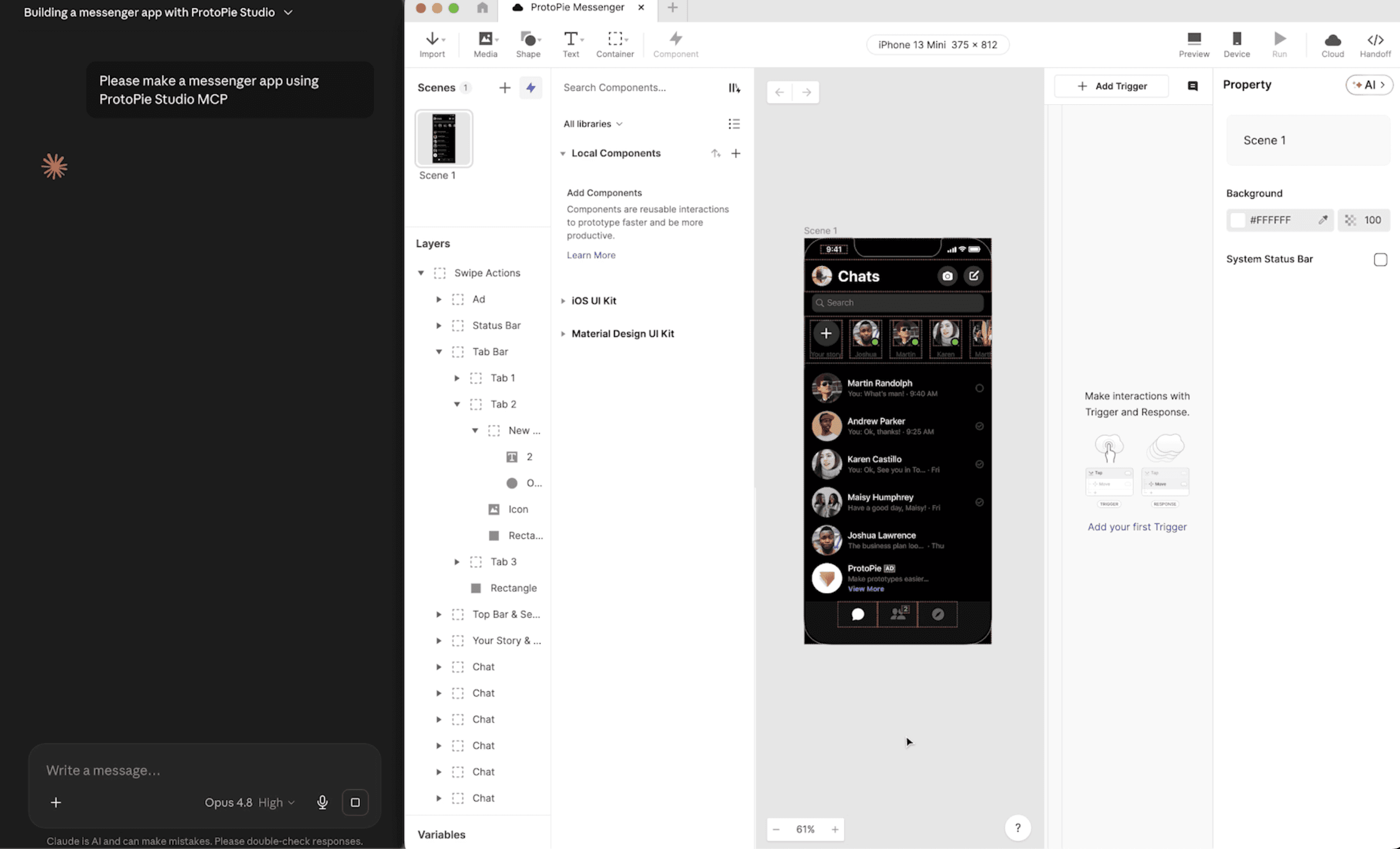
Studio MCPは、ProtoPie Studio内からローカルMCPサーバーを実行し、AIクライアント(Claude Desktop、Claude Code、Codexなど)が現在開いているプロトタイプを読み取り、制御できるようにします。チャットプロンプトから、AIにインタラクションの検査、新しいインタラクションの構築、またはキャンバスのキャプチャを依頼できます。
できること
プロンプトによるレイヤー、レイアウト、インタラクションの作成 — レイヤーを作成、変更、配置、スタイリングして画面を構築または洗練します。たとえば、ボタンにタップトリガーを追加したり、タップするとカードが裏返る画面を構築したりできます。
独自のライブラリの使用 — ProtoPieライブラリのアセットやコンポーネントを使用して画面を作成します。
プロトタイプの検証 — プロトタイプが期待通りに動作するかどうかを確認し、インタラクションやフロー内の問題を特定します。
IDを使用した特定要素のターゲット指定 — レイヤー、シーン、変数、コンポーネント、トリガー、レスポンス、またはその他の要素IDを使用して、AIエージェントに作成または編集する対象を正確に指示します。
要件
ProtoPie Studio 10.3.0以降(MCPサーバーは10.3.0から搭載されています)。
AIクライアントとProtoPie Studioが同じコンピューターで実行されている必要があります。
ProtoPie ProまたはEnterpriseプラン。
どのクライアントを接続すべきですか?
接続後の体験はまったく同じですが、接続方法のみが異なります。あなたの環境に合ったものを選択してください。
クライアント | 最適な対象 | 接続方法(概要) |
|---|---|---|
Claude Desktop (チャット) | コードやターミナルを避けたいデザイナー — 最も簡単な方法 | LabsでOpen in Claude Desktopをクリック → 拡張機能( |
Claude Code(ターミナルCLI、またはClaude DesktopのCodeタブ) | コードエディターやターミナルの操作に慣れているデザイナーおよびデザインエンジニア |
|
Codex / Cursor / VS Code / その他 | すでに別のMCPクライアントを使用している方 | コマンドまたは設定を介してエンドポイントを登録します |