Dev Viewのご紹介
MCP Enterpriseでご利用いただけます。
Dev Viewとは何ですか?
Dev Viewは、開発者やデザイナーがプロトタイプのデザインやインタラクションの詳細をインスペクトし、そのコンテキストをCode MCPを通じてAIコーディングエージェントに渡すためのProtoPie Cloudのビューです。正確なプロトタイプを開き、その構造とプロパティを読み取り、エージェントに正確な仕様を提供するリンクをコピーします。ワークフローの全容については、上記のCode MCPセクションを参照してください。
Dev Viewを開く
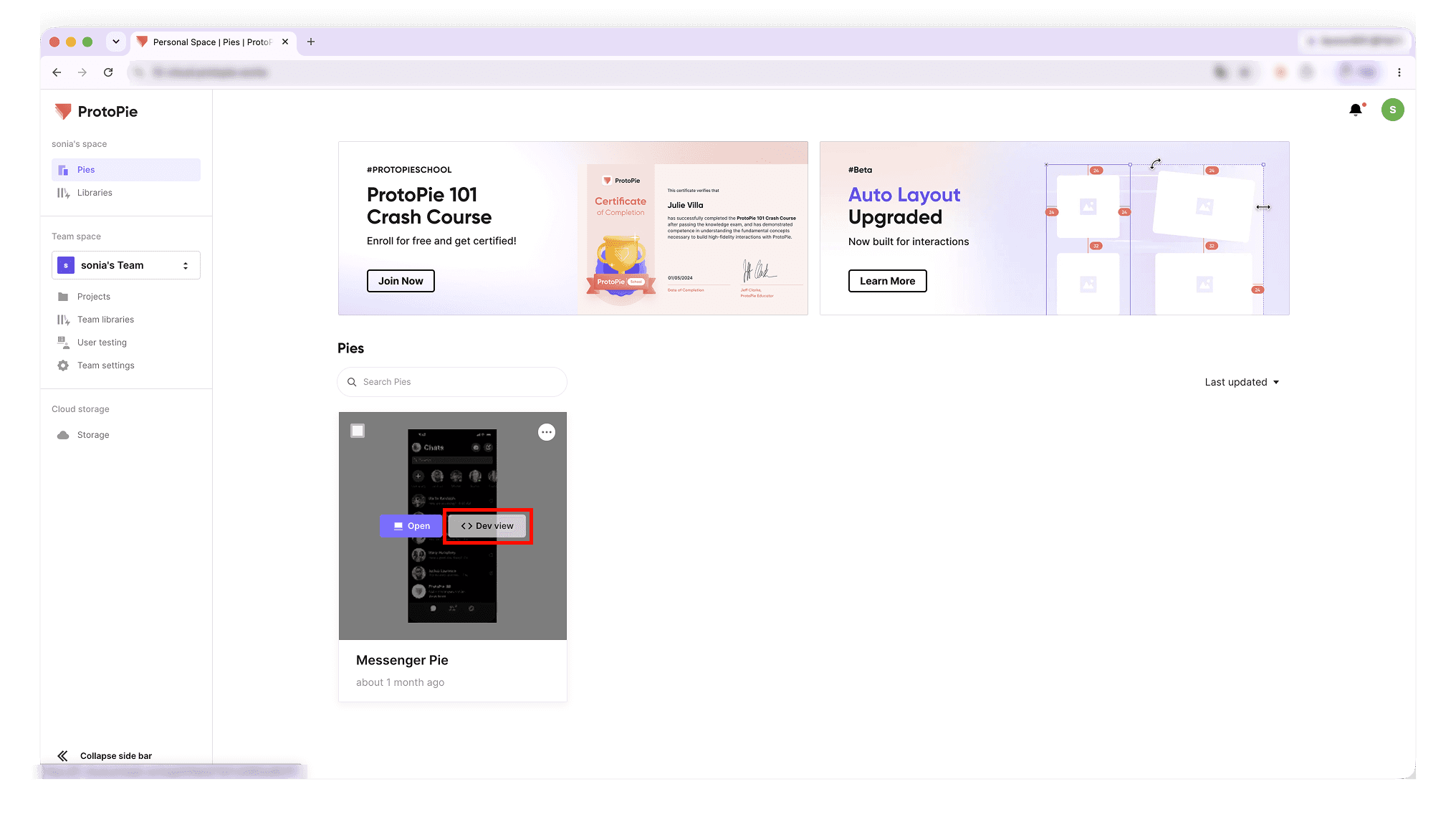
Dev Viewを開くには、次のいずれかの方法を使用します。
クラウド上のPieにホバーし、< > Dev Viewをクリックします。
Pieのコンテキストメニューを開き、Open Dev Viewを選択します。
クラウド上のPieを開き、Pieの名前の横にある矢印をクリックしてメニューを展開し、Open Dev Viewを選択します。
ブラウザにDev ViewのURLを貼り付けます。
要件とアクセス権限
表示するには、Enterpriseプラン(PersonalまたはTeam Space)が必要です。
Pieが保存されているEnterprise組織のメンバーであり、Pieのダウンロード権限があり、Pieがパスワード保護されていない場合に、MCPリンクが表示されます。
Dev Viewのインターフェース
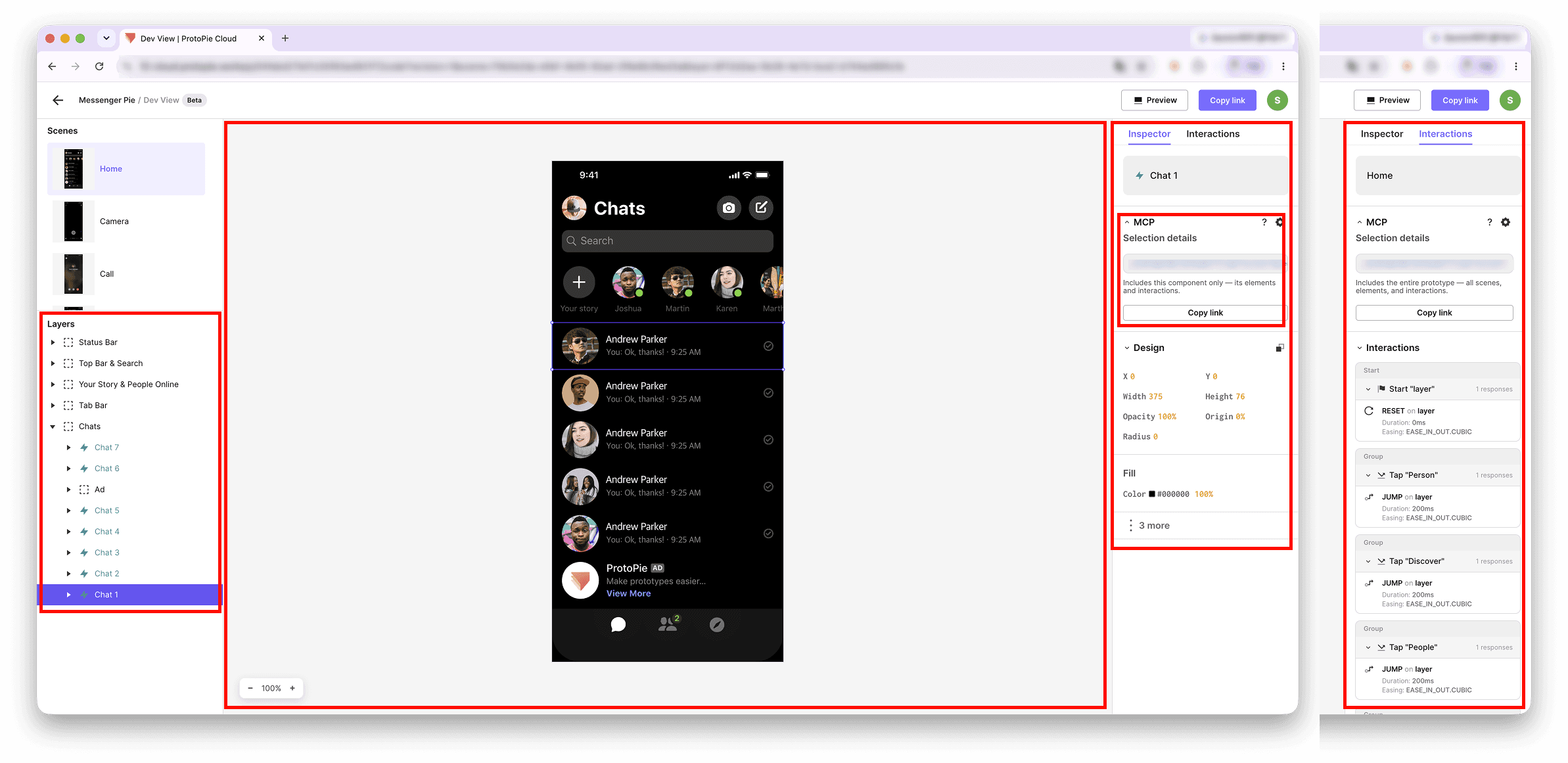
シーン、コンテナ、またはレイヤーを選択すると、すべてのパネルが更新されます。
レイヤーパネル(左) — Studioと同様の、Pieのレイヤー階層。
キャンバス(中央) — 選択したシーンのプレビュー。ホバーして余白や距離を確認したり、ズームして要素をインスペクトしたりできます。
インスペクター — プロパティ(右) — デザインの詳細:レイアウト、塗りつぶし(HEX/RGB/HSL)、およびテキストスタイル。
インタラクション — プロパティ(右) — トリガー → レスポンスのツリーで、順序、ディレイ、並行タイミング、および非表示のインタラクションを示します。
MCPタブ — 選択範囲のコンテキストリンクをコピーし、セットアップガイドを開きます。
MCPタブ
何も選択しない(Pie全体)、シーン、コンポーネント、またはレイヤーを選択し、リンクをコピーを押すと、表示しているリビジョンがピン留めされます。ダウンロード権限がない場合、リンクは非表示になります(「MCPリンクは利用できません。Pieのオーナーに組織へのアクセス権とPieのダウンロード権限の付与を依頼してください。」)。ワークフローの全容については、上記のクイックスタートを参照してください。
共有
トップバーのリンクをコピーを使用すると、Dev Viewを直接開くリンクを共有できます。プレビュー用とDev View用のリンクは異なります。
ProtoPie MCPをデモでご覧になりたいですか?今すぐデモセッションをご予約ください!