INSIGHTS & INSPIRATION
PRODUCT LEARNING & SUPPORT
INSIGHTS & INSPIRATION
PRODUCT LEARNING & SUPPORT
Introducing ProtoPie
Triggers & Responses
Auto Layout
Interaction Libraries
Connecting Devices
ProtoPie Enterprise
Menu
Introducing ProtoPie
Triggers & Responses
Auto Layout
Interaction Libraries
Connecting Devices
ProtoPie Enterprise
ライブラリ内のコンポーネントを編集する
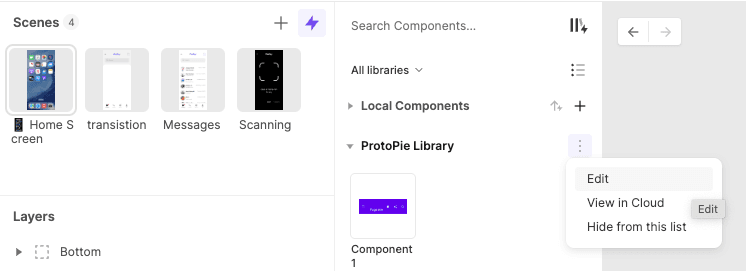
コンポーネントのインスタンスを編集するには、インスタンスを右クリックするか、プロパティパネルの「メインコンポーネントを編集」ボタンをクリックするか、ライブラリのオーバーフローメニューにアクセスして「編集」オプションを選択します。この操作を実行すると、ライブラリ編集モードであることを示す紫色のバナーが表示された新しいウィンドウが開きます。
詳細については、インタラクションライブラリに関するドキュメントを参照してください。