Managing Test Sessions
Test Room Statuses
The room transitions through states which determine data collection and editability
Draft
Preparation mode. No data collected.
Editable: Tasks can be modified.
In Progress
Active or scheduled. Enters this state after first participant joins.
Partially Editable: Cannot change Pie files to ensure consistency. Meta info is editable.
Live
Participant is currently in session; recording in progress.
Not Editable.
Archived
Tests completed. Records preserved.
Not Editable.
Session Roles
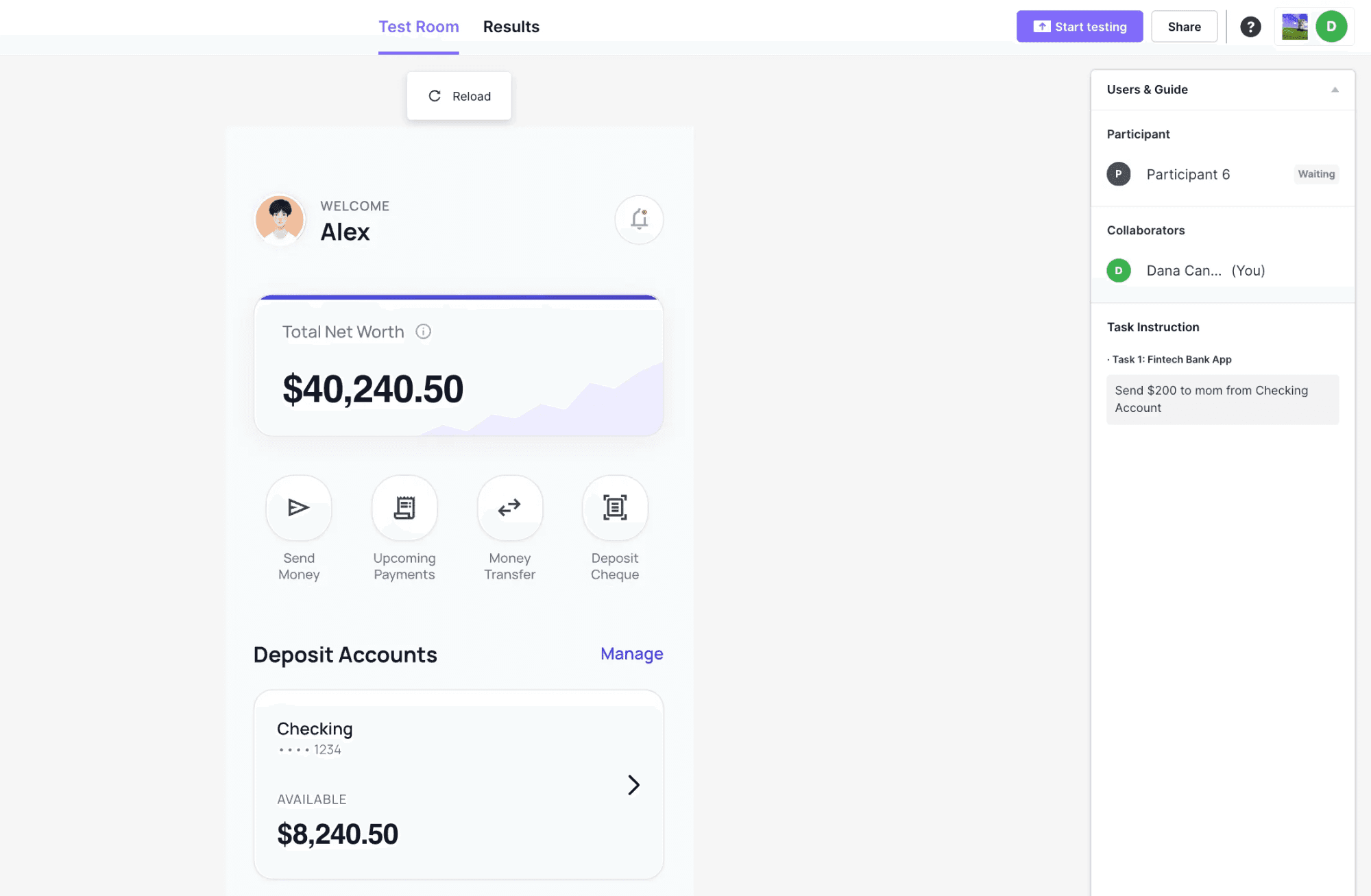
Moderator: An Editor who clicks
[Start testing]. Manages the session and creates highlights.Observer: Team members (Editors or Viewers) who monitor the session in real-time.
Participant: Invited users whose behavior is recorded. They can complete or abandon tasks using the
[End task]button.
Test Execution
Session Preparation
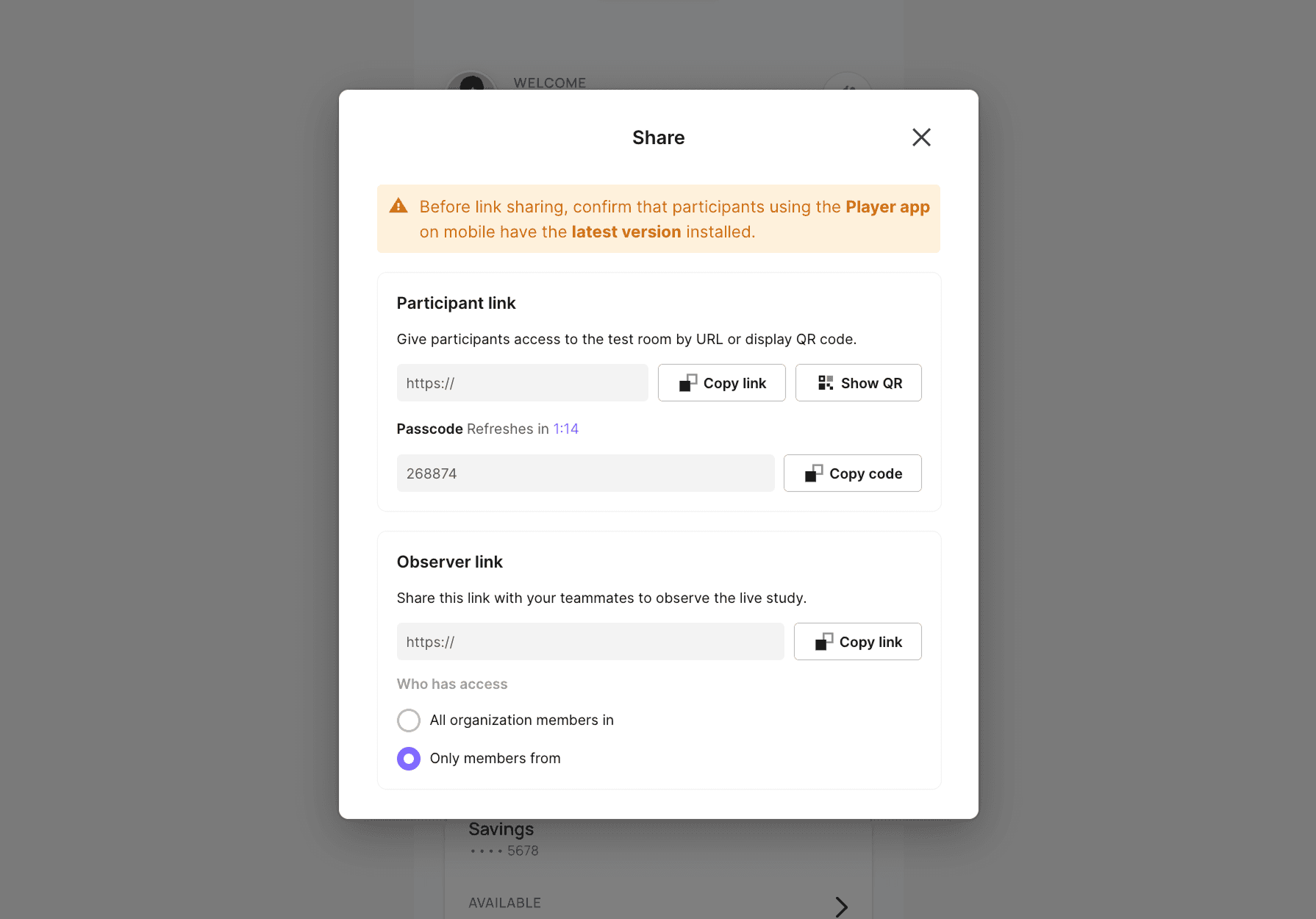
Access: Participants enter via URL/QR code and a passcode (refreshes every 3 minutes).
Device Requirements: Desktop/mobile browser, or ProtoPie Player App (6.23.0+) on iOS/Android.
Participation Limit: Only one participant per session.
Time Limit: 20 minutes per task is recommended.
Real-time Observation
Monitoring: Moderators and observers can watch the test process in real-time.
Mirroring: Uses "Broadcast & watch" mechanism for screen mirroring.

Test Completion & Recovery
Ending: When a participant reaches the 'Thank You' page, the session ends, recording stops, and the room status clears "Live" status.
Disconnection: If a participant disconnects, the system waits 5-10 minutes for them to reconnect to the same session.
Terminology
Test Room: A virtual space configured for user testing, serving as a container that includes one or more tasks and prototypes.
Task: An individual task that participants must perform within a test room, which can have success criteria set.
Session: The entire actual test process where moderators and participants sequentially perform multiple tasks together.
Task Recording: The recording captured for each individual task within a session. Screen interactions and timestamp data are collected separately for each task.
Highlight: A marker indicating noteworthy moments or important insights during User Testing result analysis, used to quickly find and share meaningful segments during session replay.