INDUSTRIES

Automotive

Aviation

Finance

Gaming

MedTech

IoT

Digital Products

USE CASES

For Enterprise

For Individuals

For Teams

For education

KEY FEATURES

Hardware & System Integration

Beta

ProtoPie MCP

Multi-Device Prototyping

Interaction Logic

Developer Handoff

ProtoPie AI

New

User Testing

PLUGINS

Figma

Sketch

Adobe XD

INSIGHTS & INSPIRATION

Blog

eBooks

Clients Success Stories

Events & Webinars

ProtoPie Gallery

PRODUCT LEARNING & SUPPORT

ProtoPie School

Download ProtoPie

Product Documentation

Community

INDUSTRIES

Automotive

Aviation

Finance

Gaming

MedTech

IoT

Digital Products

USE CASES

For Enterprise

For Individuals

For Teams

For education

KEY FEATURES

Hardware & System Integration

Beta

ProtoPie MCP

Multi-Device Prototyping

Interaction Logic

Developer Handoff

ProtoPie AI

New

User Testing

PLUGINS

Figma

Sketch

Adobe XD

INSIGHTS & INSPIRATION

Blog

eBooks

Clients Success Stories

Events & Webinars

ProtoPie Gallery

PRODUCT LEARNING & SUPPORT

ProtoPie School

Download ProtoPie

Product Documentation

Community

Menu

Recording Page

The recording page provides a comprehensive view of the interaction recording, with all the necessary interaction specifications for implementation.
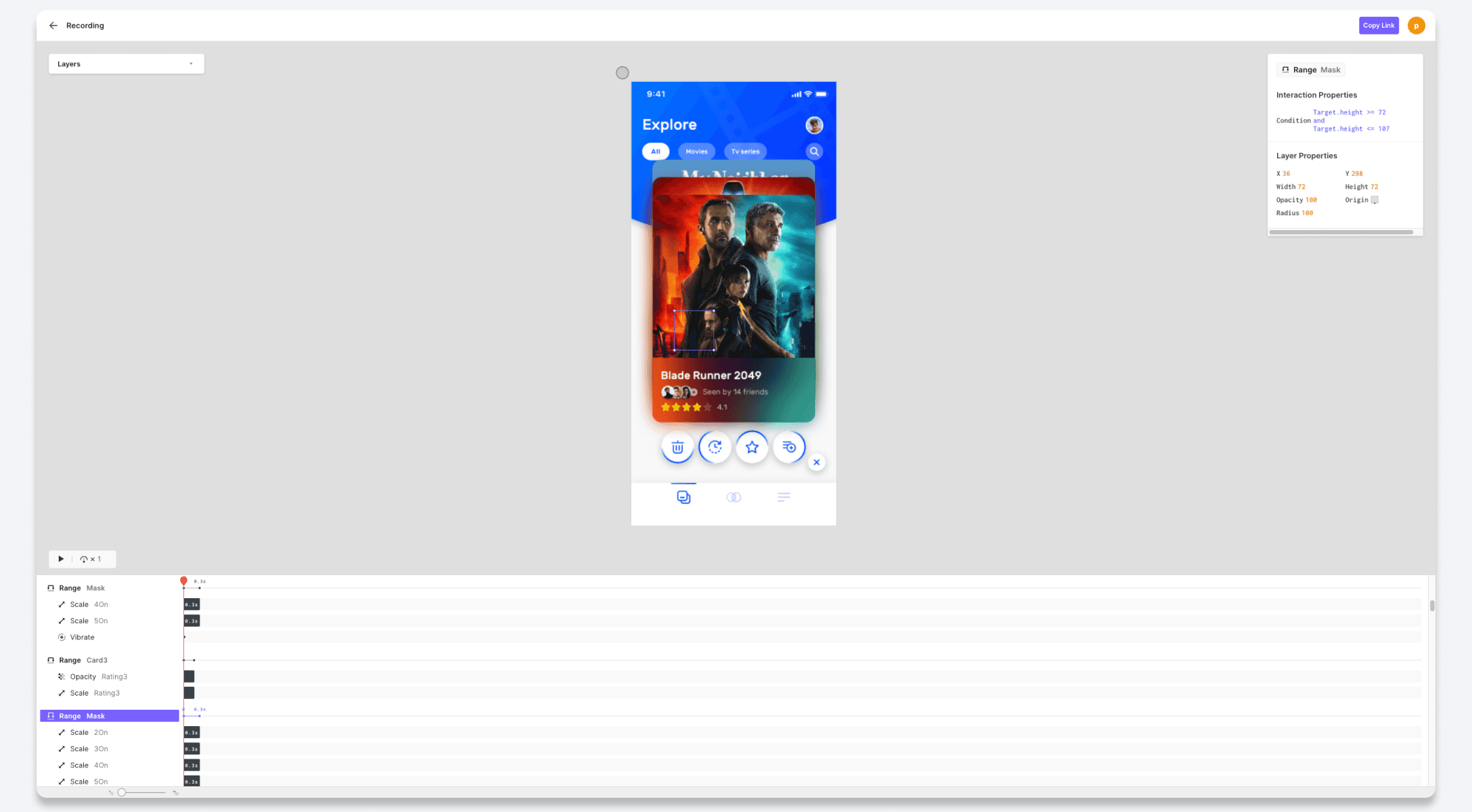

{'_type': 'localeString', 'en': 'recording page', 'ja': '4 recipe page', 'ko': '4 recipe page', 'zh': '4 recipe page'}

Timeline

To replay the recorded scenario of an interaction recording, simply click the Play button and adjust the playback speed as desired. For more precise control, you can use the timeline scrubber to navigate forward or backward to any specific point in time.
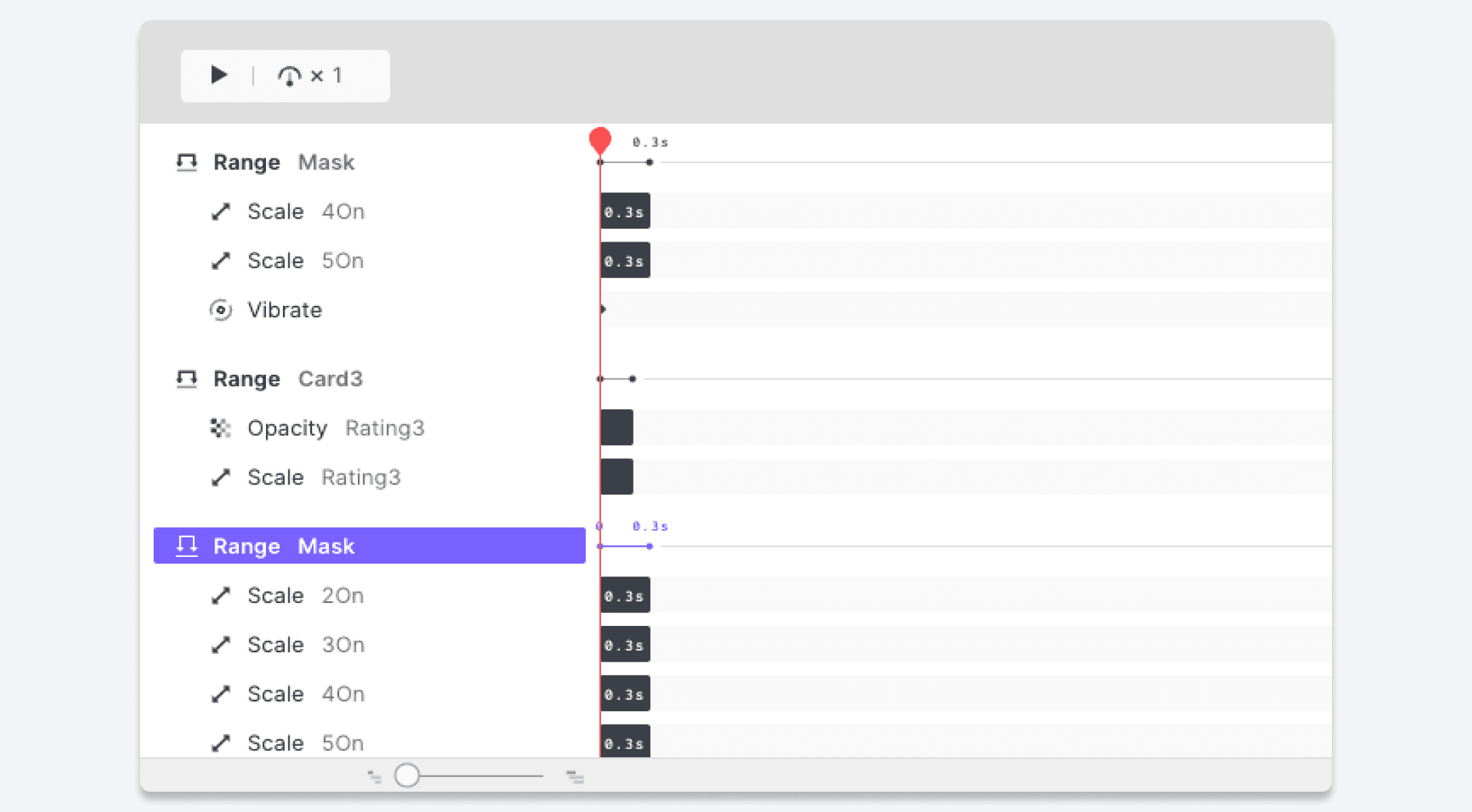

{'_type': 'localeString', 'en': '5 recording play', 'ja': '5 recipe play', 'ko': '5 recipe play', 'zh': '5 recipe play'}

Interaction Specs

If you select any trigger or response on the timeline, you will see the corresponding interaction specifications and layer properties in the property panel on the right side of the page.
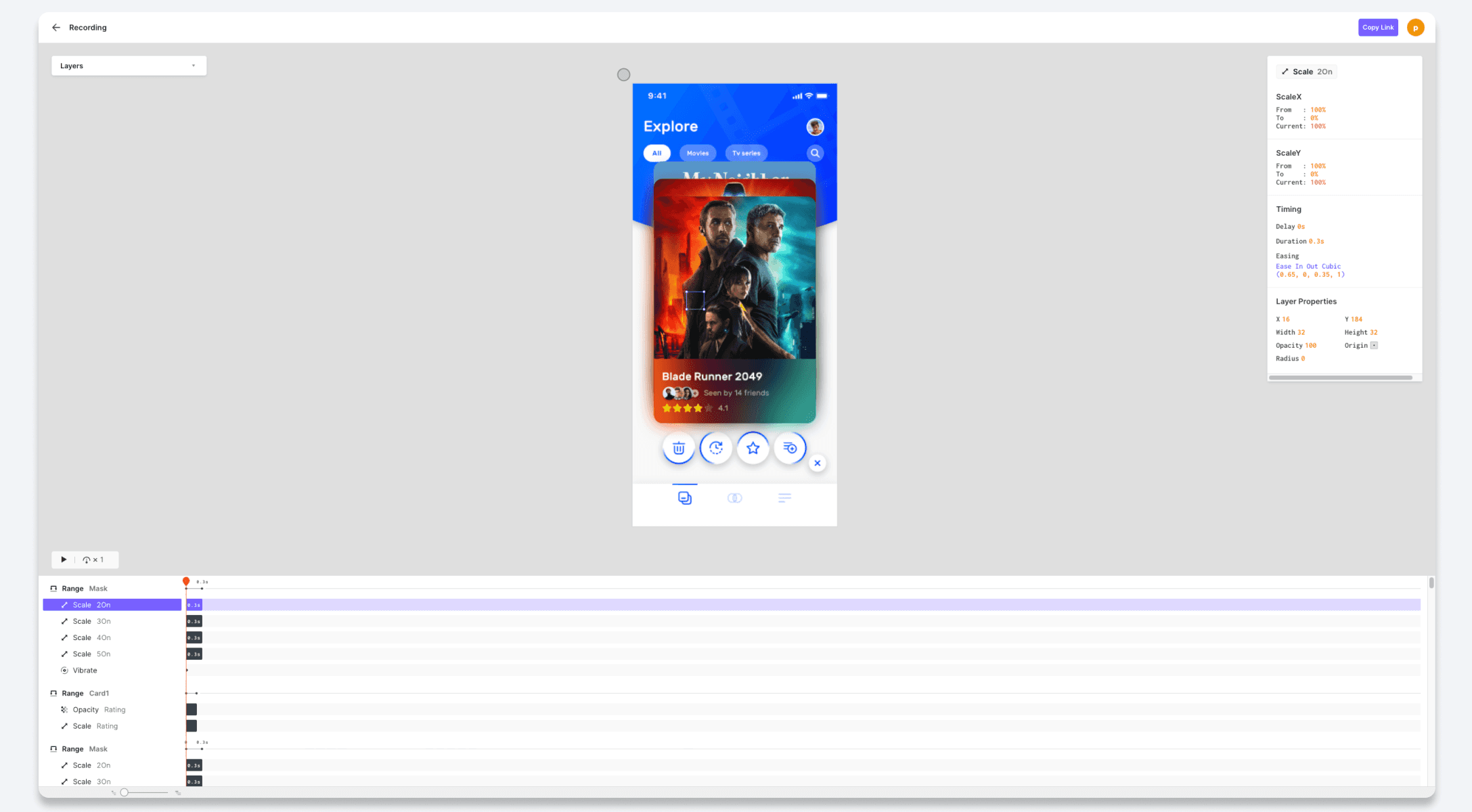

{'_type': 'localeString', 'en': '6 recording focus', 'ja': '6 recipe focus', 'ko': '6 recipe focus', 'zh': '6 recipe focus'}

Layer Panel

The layer panel, located on the left side, provides a visual representation of the prototype's layer structure. By selecting a specific layer in the panel, it will be highlighted in the preview area, allowing for easy navigation and identification.

Distance Between Objects
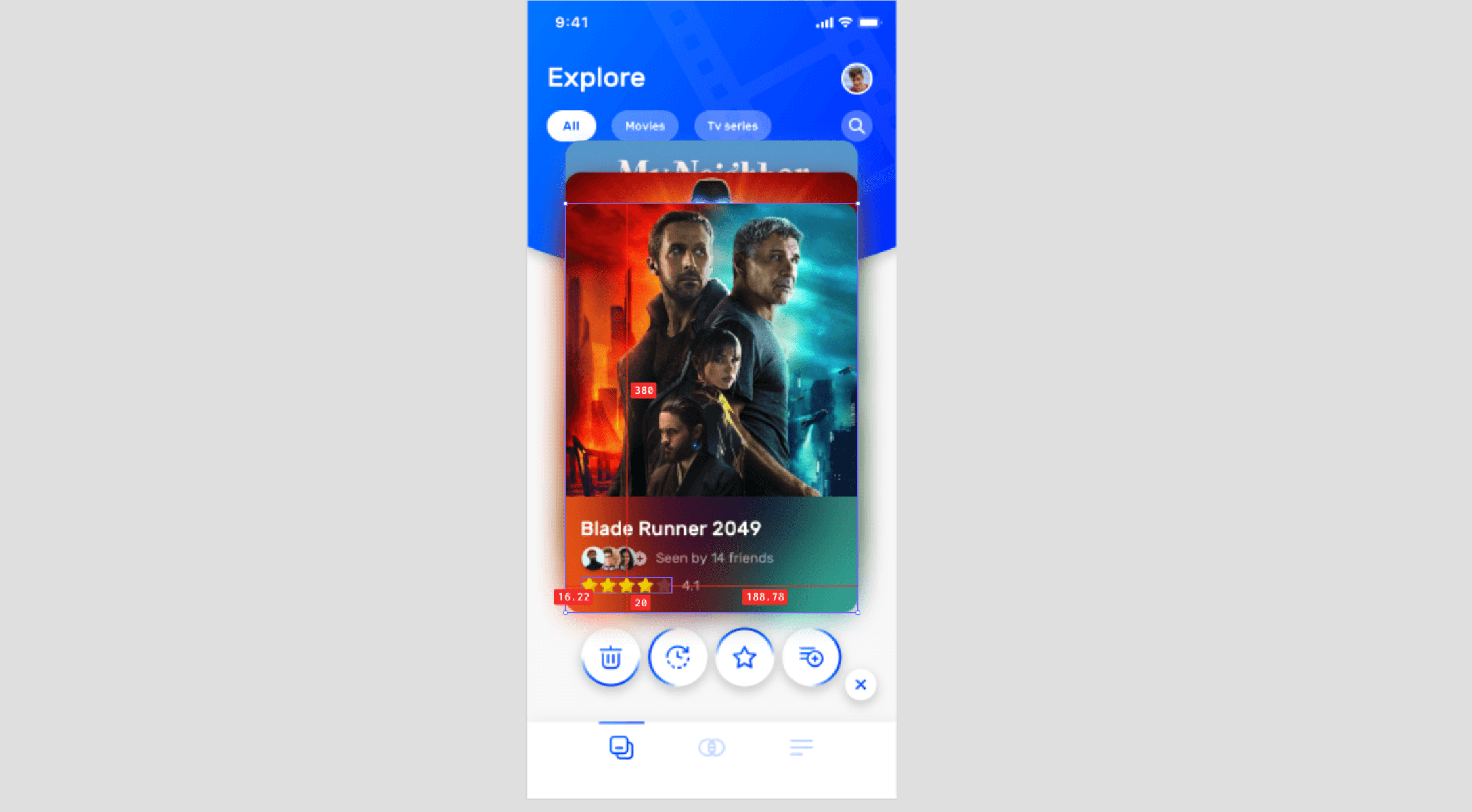

{'_type': 'localeString', 'en': 'Distance Between Objects', 'ja': 'Distance Between Objects', 'ko': 'Distance Between Objects', 'zh': 'Distance Between Objects'}

To check the horizontal and vertical distance between objects in the preview, simply hover your mouse over the objects of interest. The distance measurements will be displayed.

Shortcuts

Enhance your efficiency by utilizing these handy shortcuts to control the timeline: