✈️ Building an aviation cockpit prototype. Register now.

✈️ Building an aviation prototype. Register.

INDUSTRIES

Automotive

Aviation

Finance

Gaming

MedTech

IoT

Digital Products

USE CASES

For Enterprise

For Individuals

For Teams

For education

KEY FEATURES

Hardware & System Integration

Beta

ProtoPie MCP

Multi-Device Prototyping

Interaction Logic

Developer Handoff

ProtoPie AI

New

User Testing

PLUGINS

Figma

Sketch

Adobe XD

INSIGHTS & INSPIRATION

Blog

eBooks

Clients Success Stories

Events & Webinars

ProtoPie Gallery

PRODUCT LEARNING & SUPPORT

ProtoPie School

Download ProtoPie

Product Documentation

Community

INDUSTRIES

Automotive

Aviation

Finance

Gaming

MedTech

IoT

Digital Products

USE CASES

For Enterprise

For Individuals

For Teams

For education

KEY FEATURES

Hardware & System Integration

Beta

ProtoPie MCP

Multi-Device Prototyping

Interaction Logic

Developer Handoff

ProtoPie AI

New

User Testing

PLUGINS

Figma

Sketch

Adobe XD

INSIGHTS & INSPIRATION

Blog

eBooks

Clients Success Stories

Events & Webinars

ProtoPie Gallery

PRODUCT LEARNING & SUPPORT

ProtoPie School

Download ProtoPie

Product Documentation

Community

Menu

Testing Prototypes Offline with ProtoPie Player

You can use ProtoPie Player to test prototypes in an offline setting.

  1. Open a Pie that has been saved in ProtoPie Cloud.

  2. Double-tap the screen with two fingers.

  3. Select the "Make Available Offline" option.

The prototype will then be accessible under the "Available Offline" section in the Cloud. If you are not currently logged into ProtoPie Cloud, you can find this option inside the options menu located in the upper right corner of the screen.
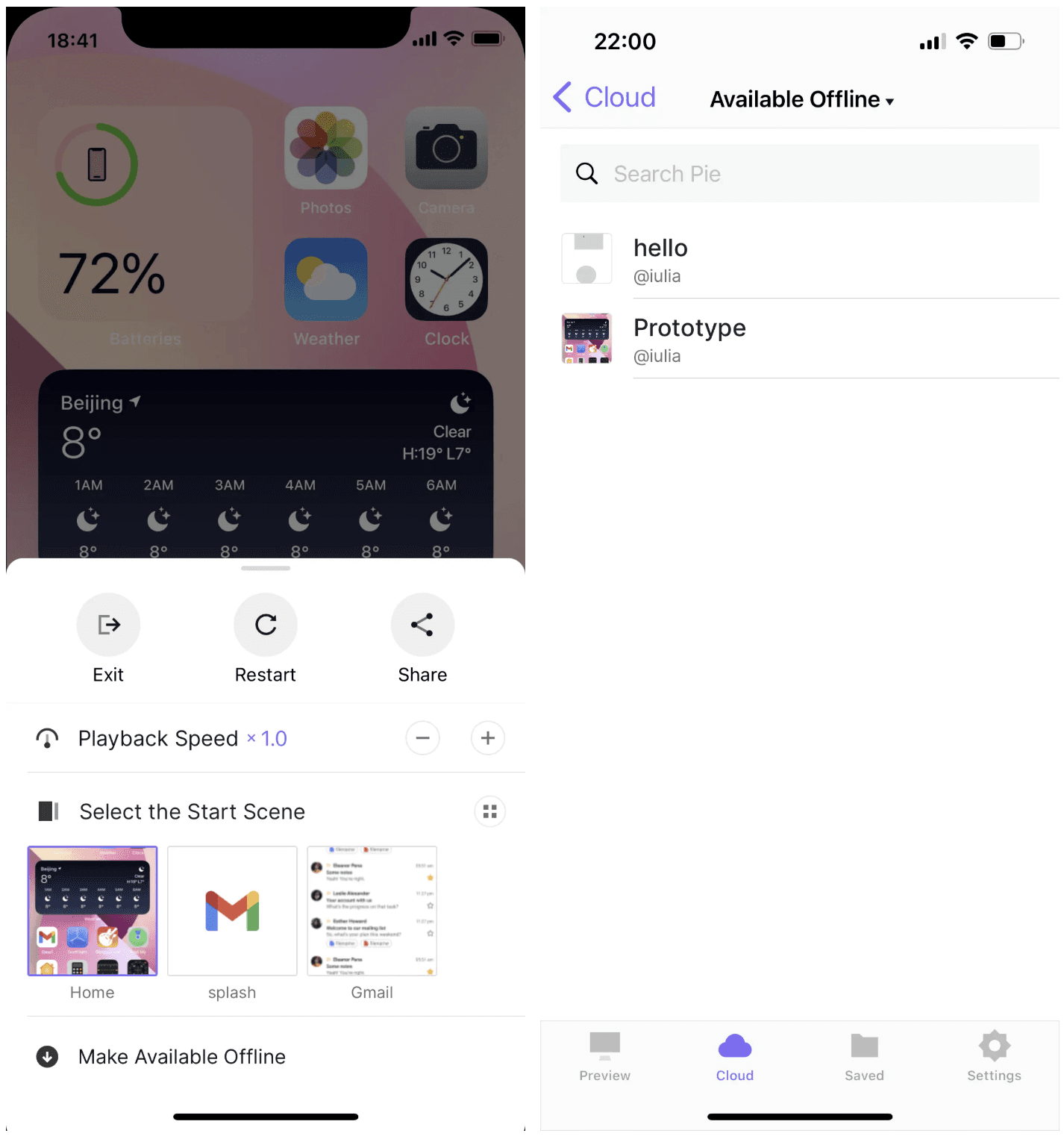
If a prototype that was previously available offline is deleted from the cloud, it will no longer be accessible offline. However, when you have an internet connection and open a locally saved prototype in the cloud using ProtoPie Player, it will always display the latest version.

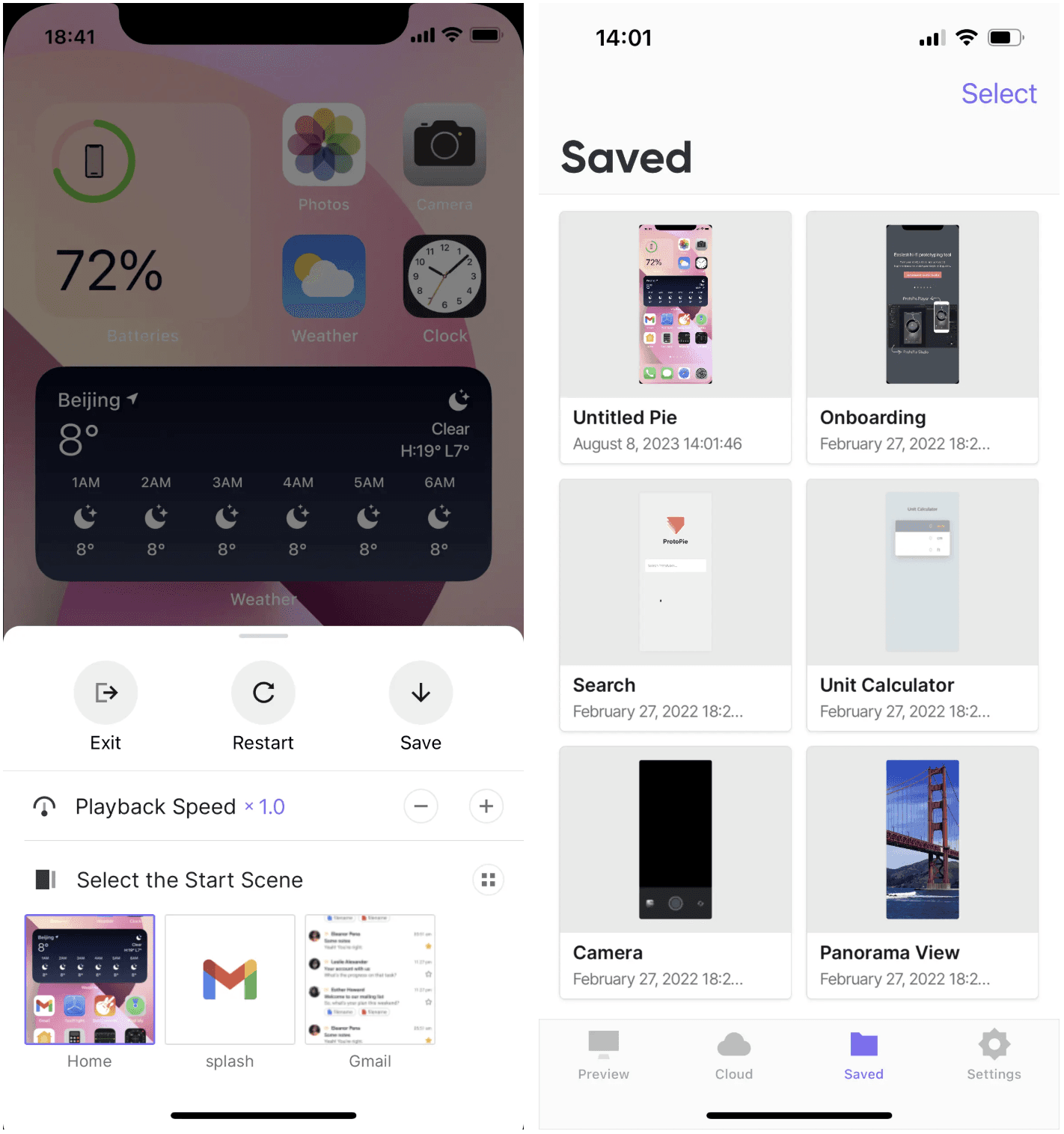
Saving Prototypes Locally

To save opened prototypes from ProtoPie Studio, follow these easy steps on the Player app:

  1. Open the Pie in ProtoPie Studio.

  2. Click on Device and run it in ProtoPie Player.

  3. Double-tap the screen with two fingers.

  4. Tap "Save."

  5. Find your locally saved prototypes in the "Saved" section.