User Testing
Launch Notice
From Beta to Product: Previously offered as a Beta feature with limited functionality, User Testing is now launching as a comprehensive add-on product (Phase 2)
ProtoPie User Testing provides an environment where you can conduct usability tests directly on ProtoPie Cloud using prototypes with users.
User Testing goes beyond simple real-time observation by helping designers and researchers automatically gain quantitative and actionable insights:
Test success/failure rates
User paths
Key error data
User Testing is currently available to Enterprise plan users and will be gradually rolled out to Pro plan users and above.
Key Features
1. Goal-Based Task Types
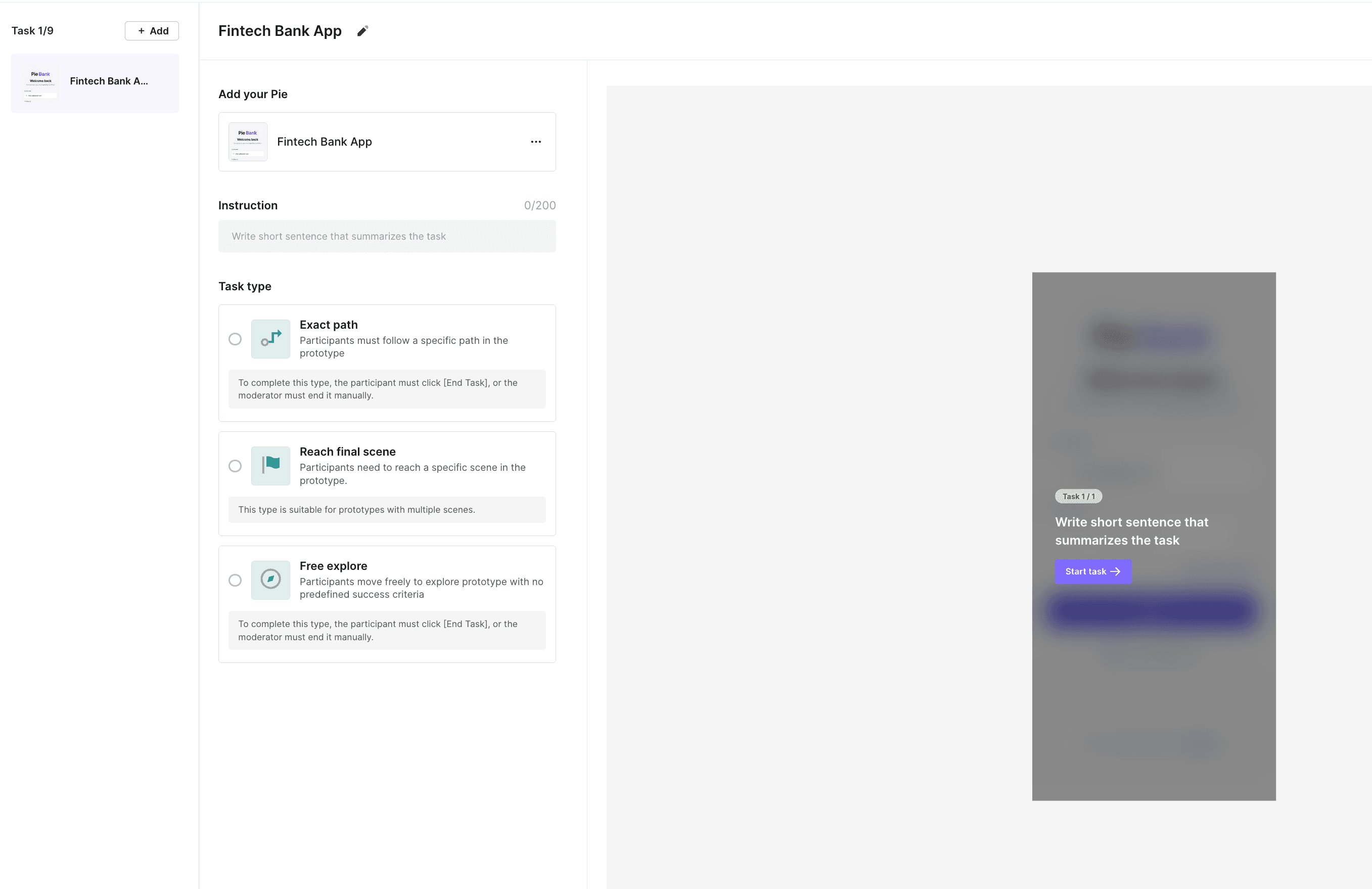
When creating a test room, you can select from three types of tasks to set clear success criteria:
Exact Path: Participants must follow a specific sequence of interactions defined by the moderator. Useful for verifying efficiency of specific flows.
Scene: Participants are successful if they reach a predefined final scene, regardless of the path taken. Suitable for open-ended tests.
Free Explore: No success criteria defined. Users freely explore the prototype to evaluate general usability.
2. Automated Results Reporting
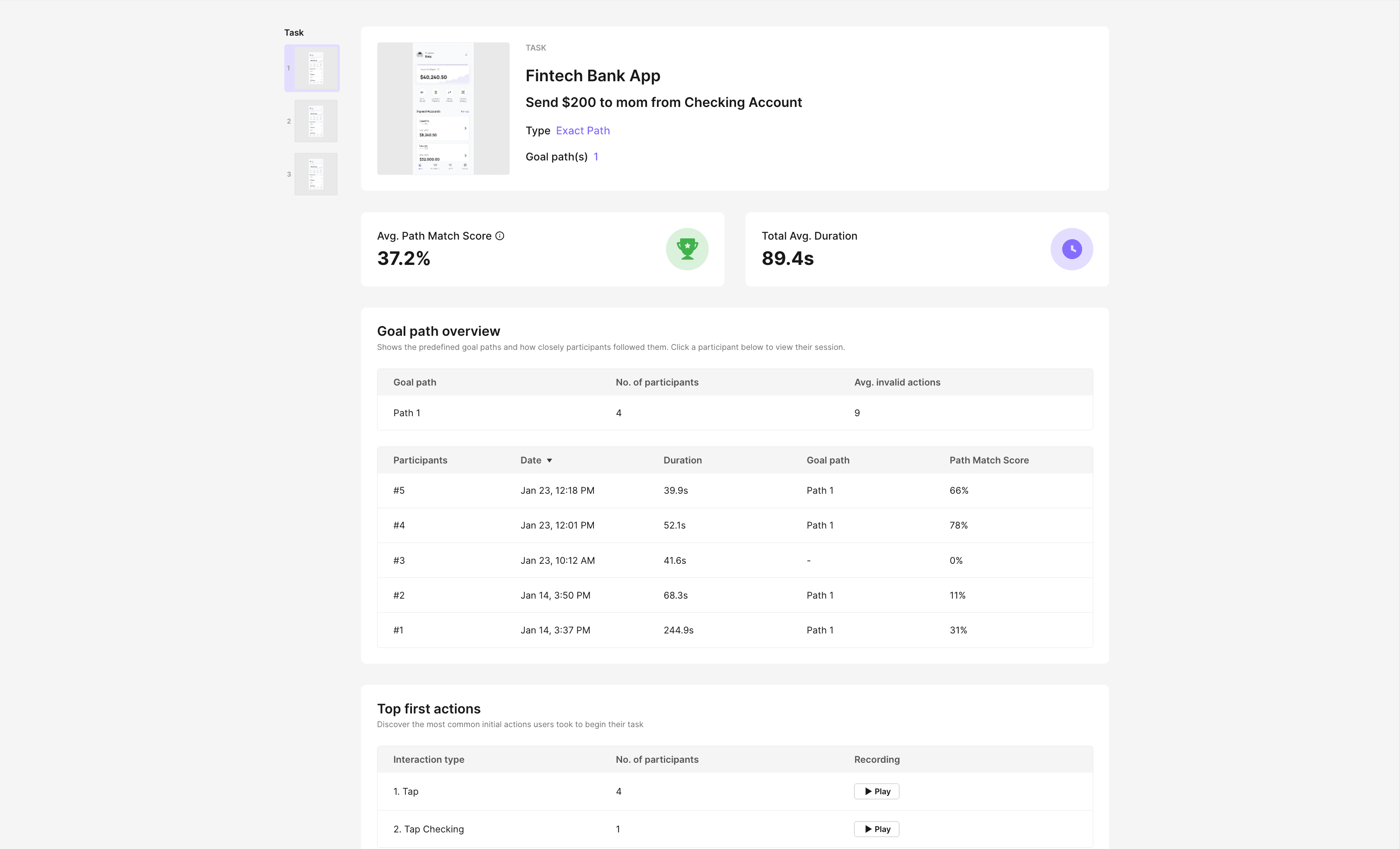
View automatically generated analysis reports in the test room's Results tab:
Quantitative Metrics: Task success rate and average task duration.
Path Analysis: Detailed metrics including number of participants, average duration, and invalid actions for each path.
Top First Actions: Shows the most common initial actions taken by users.
3. Interactive Session Replay & Highlights
Participants' test processes are recorded based on events for rich analysis:
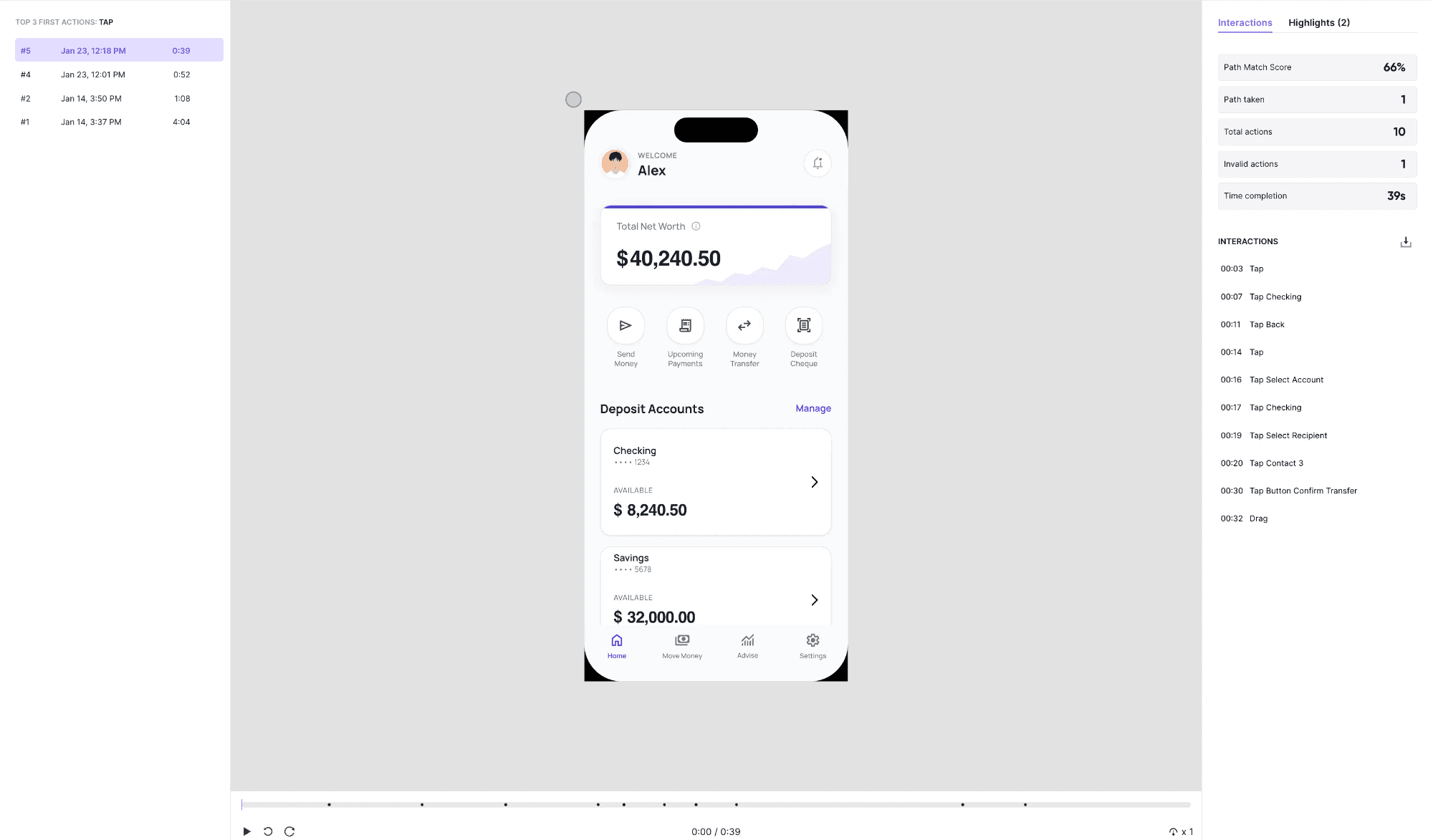
Interaction Data Tracking: Tracks clicks, scrolls, taps, swipes, and double taps with detailed timestamps.
Highlights: Moderators can create independent playback units from specific segments of the full session.