
INDUSTRIES

Automotive

Aviation

Finance

Gaming

MedTech

IoT

Digital Products

USE CASES

For Enterprise

For Individuals

For Teams

For education

KEY FEATURES

Hardware & System Integration

Beta

ProtoPie MCP

Multi-Device Prototyping

Interaction Logic

Developer Handoff

ProtoPie AI

New

User Testing

PLUGINS

Figma

Sketch

Adobe XD

INSIGHTS & INSPIRATION

Blog

eBooks

Clients Success Stories

Events & Webinars

ProtoPie Gallery

PRODUCT LEARNING & SUPPORT

ProtoPie School

Download ProtoPie

Product Documentation

Community

INDUSTRIES

Automotive

Aviation

Finance

Gaming

MedTech

IoT

Digital Products

USE CASES

For Enterprise

For Individuals

For Teams

For education

KEY FEATURES

Hardware & System Integration

Beta

ProtoPie MCP

Multi-Device Prototyping

Interaction Logic

Developer Handoff

ProtoPie AI

New

User Testing

PLUGINS

Figma

Sketch

Adobe XD

INSIGHTS & INSPIRATION

Blog

eBooks

Clients Success Stories

Events & Webinars

ProtoPie Gallery

PRODUCT LEARNING & SUPPORT

ProtoPie School

Download ProtoPie

Product Documentation

Community

Ask ProtoPie

2

min read

How to Use Conditions In ProtoPie

ProtoPie Expert Jeff Clarke shares best practices on how to use conditions and create logic-empowered animations in ProtoPie

ProtoPie,
connect ai agents like claude, cursor and more to protopie via mcp

Conditional triggers activate interactions based on specific conditions; for example, when a prototype is run, a certain string of text is received or a layer is moved to a specific location. In ProtoPie, conditions activate responses based on the following requirements: chain, range, start, and detect. This Ask ProtoPie session focuses on how to use conditions to create logic-empowered animations in ProtoPie.
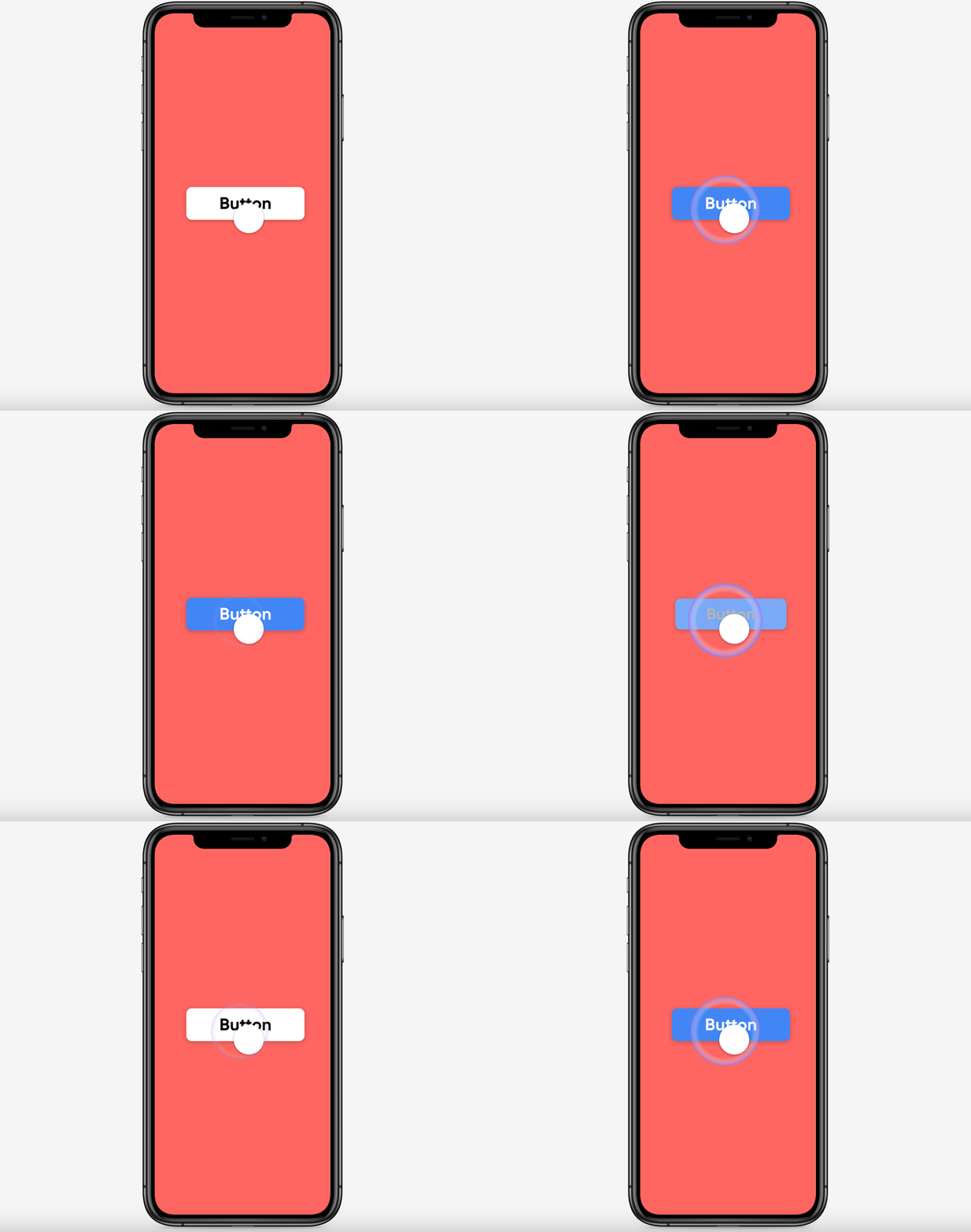

Toggle button using an if/then conditional statement.


Toggle button using an if/then conditional statement.

What you’ll learn

  1. What is a ‘Condition’ in ProtoPie?

  2. Demo 1: How to animate Toggle Button States with Conditions in ProtoPie

  3. Demo 2: How to animate a Field Validation with Conditions in ProtoPie

  4. Demo 3: How to pause and resume Videos with Variables and Conditions in ProtoPie

Starting Pie FileCompleted Pie File

Learn more

ProtoPie School: ProtoPie’s free learning content designed to help you build your prototyping expertise. Enroll for free.

ProtoPie Gallery: Share what you made in ProtoPie.

Conditions - Getting started.