Overview
What you’ll learn: How to win design pitches and stakeholder approval using high-fidelity, interactive prototypes with ProtoPie
Who it’s for: Design agencies, UI/UX designers, and product designers presenting concepts to clients and stakeholders
Tools used: Figma, ProtoPie Studio, Cloud, Player, Handoff Feature
Skills covered: hi-fi prototyping, interaction design, stakeholder presentations, user testing, developer handoff
How Design Agencies Are Winning Pitches and Getting Stakeholder Approval With ProtoPie?
Design agencies often hit a wall at the most critical stage: the handoff from vision to buy-in. While the goal is clear, traditional static presentations or low-fi prototypes fail to capture the nuance of a finished product—especially when strong interaction designing is required to communicate complex user flows.
The result: projects get rejected—not because the design is weak, but because the presentation doesn't convey your vision.
Designers can have a perfect vision of a product and work hard to create a prototype, but if decision makers can't grasp it—if they can't see what the final product will actually look like—you get a big red DENIED stamp on your project.
Seeing your prototype work in real life is what gets agency projects approved. From a client or teammate's perspective, viewing a prototype on your computer doesn't capture the real feeling of interaction, it feels superficial—like seeing something "half-static."
How to Validate Ideas and Test Your Product the Way Users Will Truly Experience It
To get the approval from decision makers, you must give them something they are able to touch and play-in. A high-fidelity prototype of exactly what the final product will look like and what real users would be experiencing.
Actually having your mobile app prototype in hands, on your stakeholder’s cellphone, with them testing and clicking on it with their own fingers, that's what gets your prototype approved—and that's where ProtoPie enters the game.
ProtoPie help agencies move past 'pitching' and into validation by creating high-fidelity prototypes that feel, function, and respond like the real thing—securing stakeholder approval through immersion rather than verbal explanation.
High fidelity spans the entire journey—from vision to high-fidelity prototyping to sharing.
The prototype above went through a complete journey: envisioning goals, creating interactions in ProtoPie Studio, uploading to ProtoPie Cloud for testing, gathering feedback with the handoff feature, and deploying to ProtoPie Player to experience it on mobile like a real app.
ProtoPie's Ecosystem Takes Your Product From Vision to Market Validation
As a designer, ProtoPie takes you from vision to creation to presentation, delivering your prototype in the most interactive way possible to anyone who needs to see it, and eventually approve it.
Present to investors
Let decision-makers see, touch, and interact with your prototypes
Help non-design stakeholders understand your vision
Let's explore how companies and UI/UX designers are using ProtoPie's environment—Studio, Cloud, Player, and Connect—to create high fidelity prototypes, and showing complex interactions to stakeholders, without engineering.
Getting It Done: How To Go From Vision To Creating Interactions For Your Prototype?
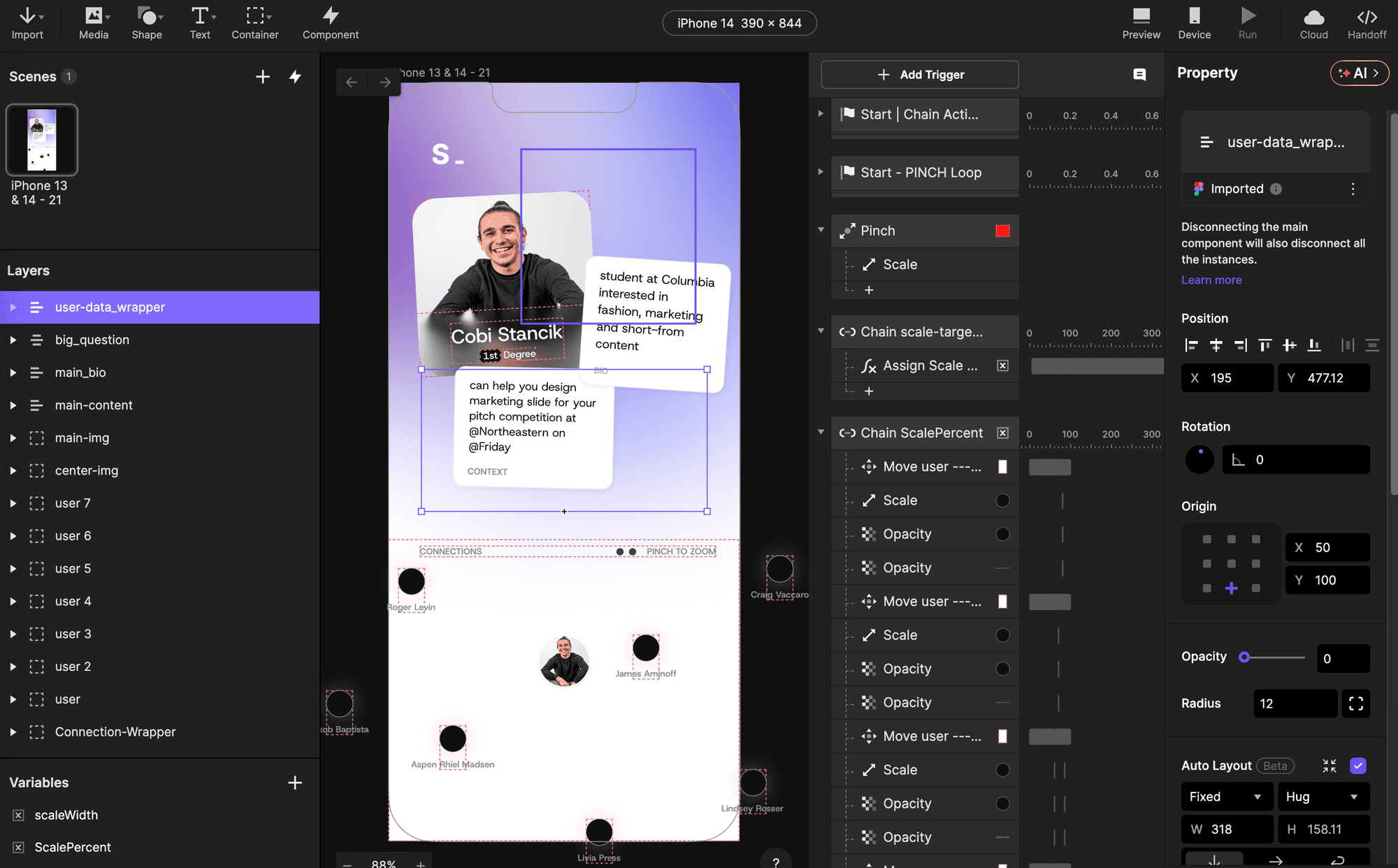
Looking at this mobile app prototype (also known as Pie 🥧 in ProtoPie) as an example. Let’s walkthrough how the creator of this prototype went from vision, to creation, to testing.
Everything begins with vision—that's the most important step. This is where you'll visualize what users will hold in their hands. While other high-fidelity prototyping tools are limited, ProtoPie takes you from static assets to ProtoPie Studio all the way through to user testing.
Figma Helps You Start With Vision—ProtoPie Brings It to Life
Figma alone isn't enough for 2026's competitive pitch environment, but combining Figma with ProtoPie is what allows you to create a hi-fi prototype, and most importantly, test it.
To build seamless, high-fidelity interactions in ProtoPie, it helps to approach your project with a "logic-first" mindset—an essential principle in modern interaction designing. With ProtoPie to Figma plug-in, items are now imported individually and appear in ProtoPie Studio as soon as they’re ready.
Achieving Product-Level Realism Through Object-Based Logic
Before importing Figma assets into ProtoPie, designers can map out their interactions to ensure layer hierarchy supports the intended movement. ProtoPie utilizes an Object-Based workflow rather than a traditional screen-based model; instead of duplicating entire screens to change a button's state, designers can build high-fidelity logic within a single, dynamic Scene.
By treating assets as living objects rather than static snapshots, you can:
Kill Clutter: Manage complex toggles and animations on one canvas without "spaghetti wires."
Master Component Logic: Keep behavior tucked inside individual objects like sliders or inputs.
Achieve Surgical Precision: Layer multiple triggers—like Start, Drag, and Touch Up—onto the same layer for tactile feedback.
Ultimately, ProtoPie mimics the actual logic of a finished product. By focusing on how individual objects respond to the user, your prototypes don't just look real, they feel real.
“A physical, tangible live prototype is much easier to get buy-in on” - Cobi Stancik
Cobi Stancik created this mobile app prototype. As a design expert, he's the perfect person to share insights on how ProtoPie helps design agencies win client approval.
"Creating higher fidelity and more tangible prototypes leads to a better overall experience for showcasing your work to stakeholders. Whether that is to get more realistic user testing, to showcase your work to upper-management, or to get approval for a project from a client.
A physical, tangible live prototype is much easier to get buy-in on. A project that feels real, instead of simply flat designs, allows those stakeholders to truly feel your designs; they will understand your project and intent much more clearly than any flat designs can." - Cobi
Testing Your Prototype with ProtoPie’s Cloud & Hand-off Features
After creating your interactions in ProtoPie Studio, and bringing your initial vision to interactions on Studio, it's time to visualize and test your prototype on your computer using ProtoPie’s Cloud and Hand-off features.
Getting Realistic Overview Using ProtoPie Cloud
After completing your interactions and logic in ProtoPie Studio, you can easily upload your prototype to Cloud and interact with it.
You'll also get a shareable link that lets others test it. The whole process takes less than 2 minutes and is the best way to get an initial or final look at your prototype.
Once uploaded to Cloud, the final result of your prototype will be ready to be interacted on your computer, looking exactly like this:
ProtoPie Cloud enables you to customize how your prototypes display on web browsers when shared with other stakeholders through Cloud.
Interact with this prototype on our Cloud-space here.
Getting Developer-Ready Specs with ProtoPie’s Handoff Feature
ProtoPie also offers a powerful Handoff feature.
If you're working with detail-oriented clients or stakeholders, the Handoff and Cloud features will save you!
With Handoff, you can create an interaction recording that showcases user flows, element behaviors, and interactions in your prototype. An interaction recording goes beyond a simple handoff—it's a fully interactive specification, complete with a scrubbable timeline, easing parameters, start and end properties, and precise timings.
This eliminates guesswork, giving developers a clear, frame-by-frame guide to your intended design.
Win Your Pitch: Wow Stakeholders with Real-World Testing Features and Realism
Now that you've built your initial vision in ProtoPie Studio and tested it on your computer using ProtoPie Cloud, it's time to validate your product with the decision makers.
Help Stakeholders Visualize Your Product Idea with ProtoPie Player
This is where the magic happens—where you get that "yes" from your client.
Once everything is in place, you or any stakeholder can test the prototype with their own hands using Player.
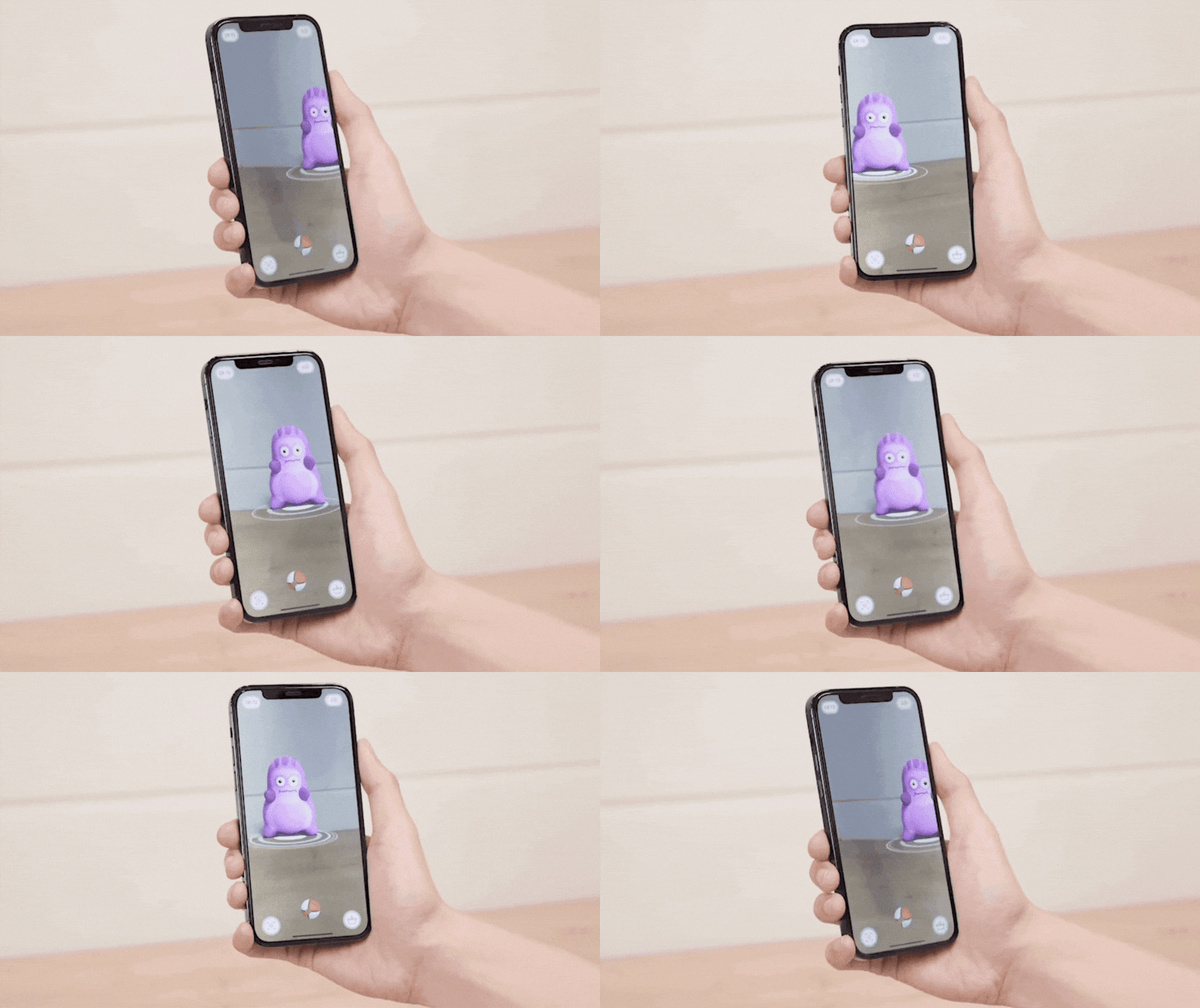
ProtoPie Cloud will generate a QR Code that you can scan using ProtoPie Player and interact with your Pie with your handphone in hands, just like this:
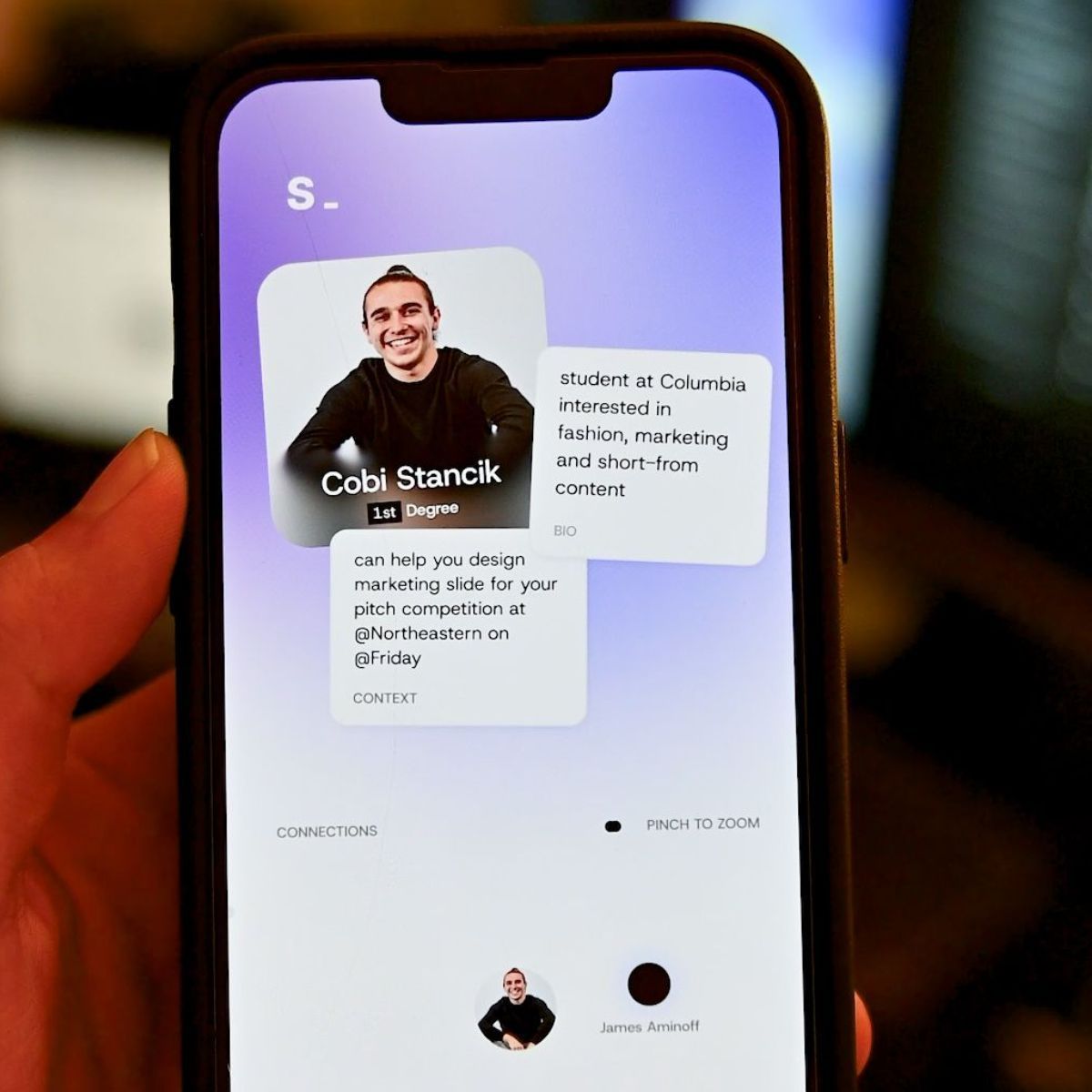
As you saw at the beginning of this post, with ProtoPie Player, your stakeholders, clients, and teammates can all interact with your project—feeling in the palm of their hands what the final version will look like.
For designers working at design agencies in 2026, ProtoPie helps you get projects approved through both its flexible environment and the realism it brings to presentations.
Getting Buy-In With Product Realism
But wait—the show isn't over! While testing your prototype with the phone in hand, your stakeholders can actually perform and simulate the same actions that users would in the final product. It’s time to help stakeholders understand and visualize ideas more easily, leveraging native device features and sensors in highly realistic mobile & tablet prototypes.
Multi-screen Interactions
With multi-screen interactions, you don’t have to explain cross-device flows to stakeholders, you can actually start demonstrating them with production-level realism. By syncing multiple devices over the same network, you can simulate live interactions—like real-time chat or instant payments—that look and act like the finished product.
This high-fidelity proof-of-concept removes all guesswork, helping you win stakeholder approval by validating complex logic before a single line of code is written.
You can connect two prototypes running in the Player App, ensuring that both devices and the computer running ProtoPie Studio are connected to the same network.
Or, you can connect a prototype in ProtoPie Studio with another prototype running in the Player app. Both ProtoPie Studio and the Player app should be connected to the same network.
Read more about Multi-screen interactions here.
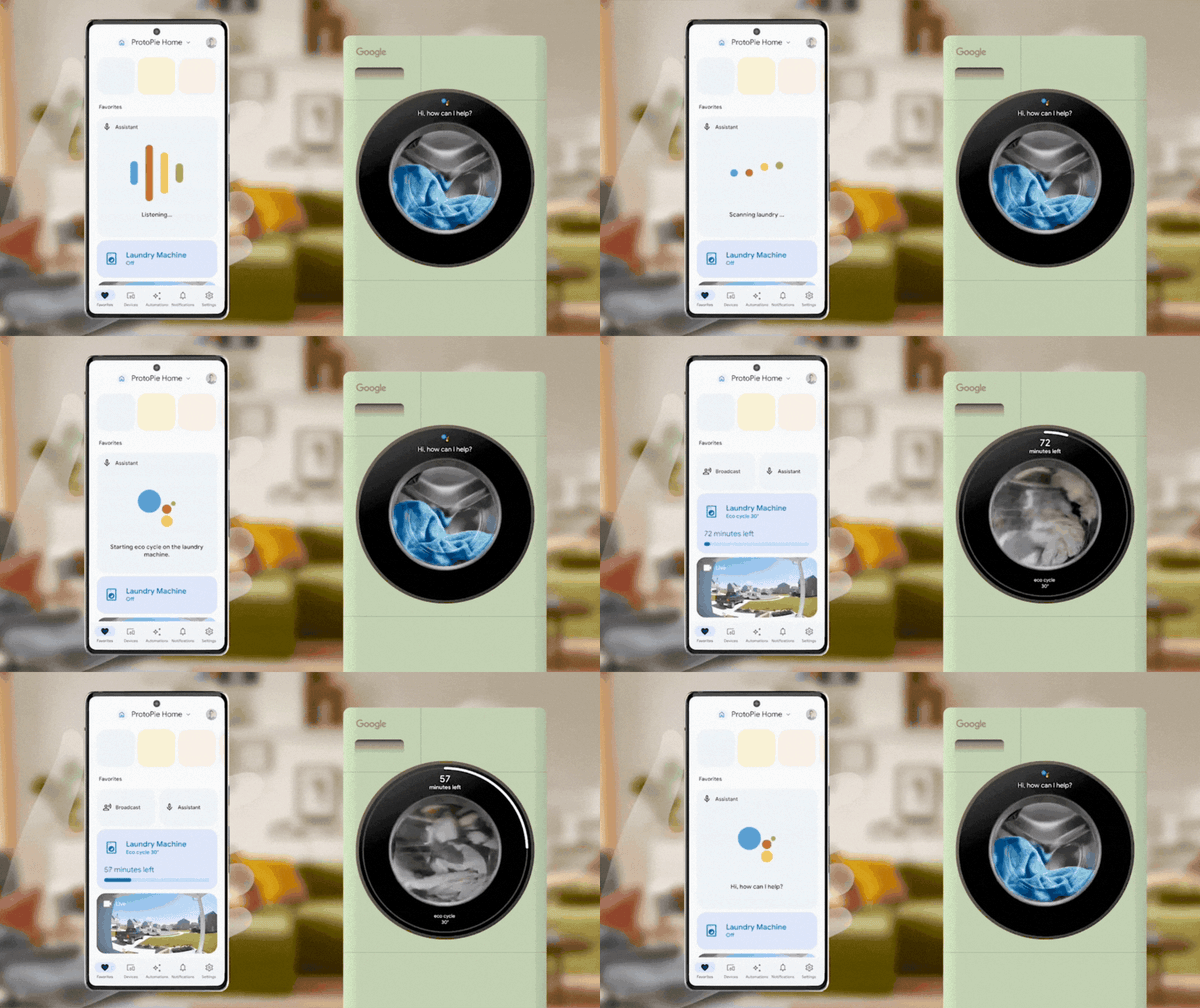
Native Device Sensors
If your product requires sensors, ProtoPie has you covered. This extra layer of realism gives you and your stakeholders the authentic experience users will have when interacting with your product.
With the camera, input, and voice layers, you can simulate everything from photo captures to smart assistants.
By presenting a prototype that responds like a finished app, you validate complex logic instantly and secure stakeholder buy-in through total immersion.
High-fidelity Prototyping with real-time data and sensors allows a full understanding of the final product experience.
Extra: Effortless Start and Full Control With AI Prototyping
ProtoPie AI Beta, launched February 9, 2026, is now available to all Pro plan users and Basic plan users until May, 2026. If you are looking for AI high-fidelity prototyping with AI, ProtoPie AI is the perfect way for design agencies to get started effortlessly—allowing ProtoPie AI build the initial version, then refining it with your design expertise while maintaining full control over the workflow.
ProtoPie AI let’s you start and you can tweek interactions having full control on the final outcome.
Learn more about ProtoPie AI now!
From Vision, to Hi-Fi Prototyping, to Testing, to Getting Approvals Within One Ecosystem
Within ProtoPie's ecosystem, designers can go from a static asset—showing what the product looks like—to real-world testing and multi-device connections.
ProtoPie delivers high fidelity while you build your idea and when you test it. This helps you and decision-makers feel exactly what users will experience with your product. Whether stakeholders come from a design or business background, real-world product testing validates your work and clarifies your vision for everyone involved.
The Complete ProtoPie Ecosystem—All on the Pro Plan
With a Pro plan (only $59/month), you can leverage ProtoPie’s whole ecosystem (Studio + AI, Cloud, Connect, Player) and go from vision to user testing, making a perfect project for a polished presentation to stakeholders and clients.
Now, it's time to elevate your Design Agency's hi-fi prototyping and interaction designing game, and get that long-awaited approval from your stakeholders. No more rejections!
Start now by clicking the 'Get Started' button, or if you work at a Design Agency or Consulting Firm, click the second button to get a special offer