INSIGHTS & INSPIRATION
PRODUCT LEARNING & SUPPORT
INSIGHTS & INSPIRATION
PRODUCT LEARNING & SUPPORT
Account & Login
Plans & Pricing
Billing & payments
Troubleshoooting
Menu
Account & Login
Plans & Pricing
Billing & payments
Troubleshoooting
Connect > Testing Prototypes
debug-messages-protopie-connect
How to debug messages in ProtoPie Connect?
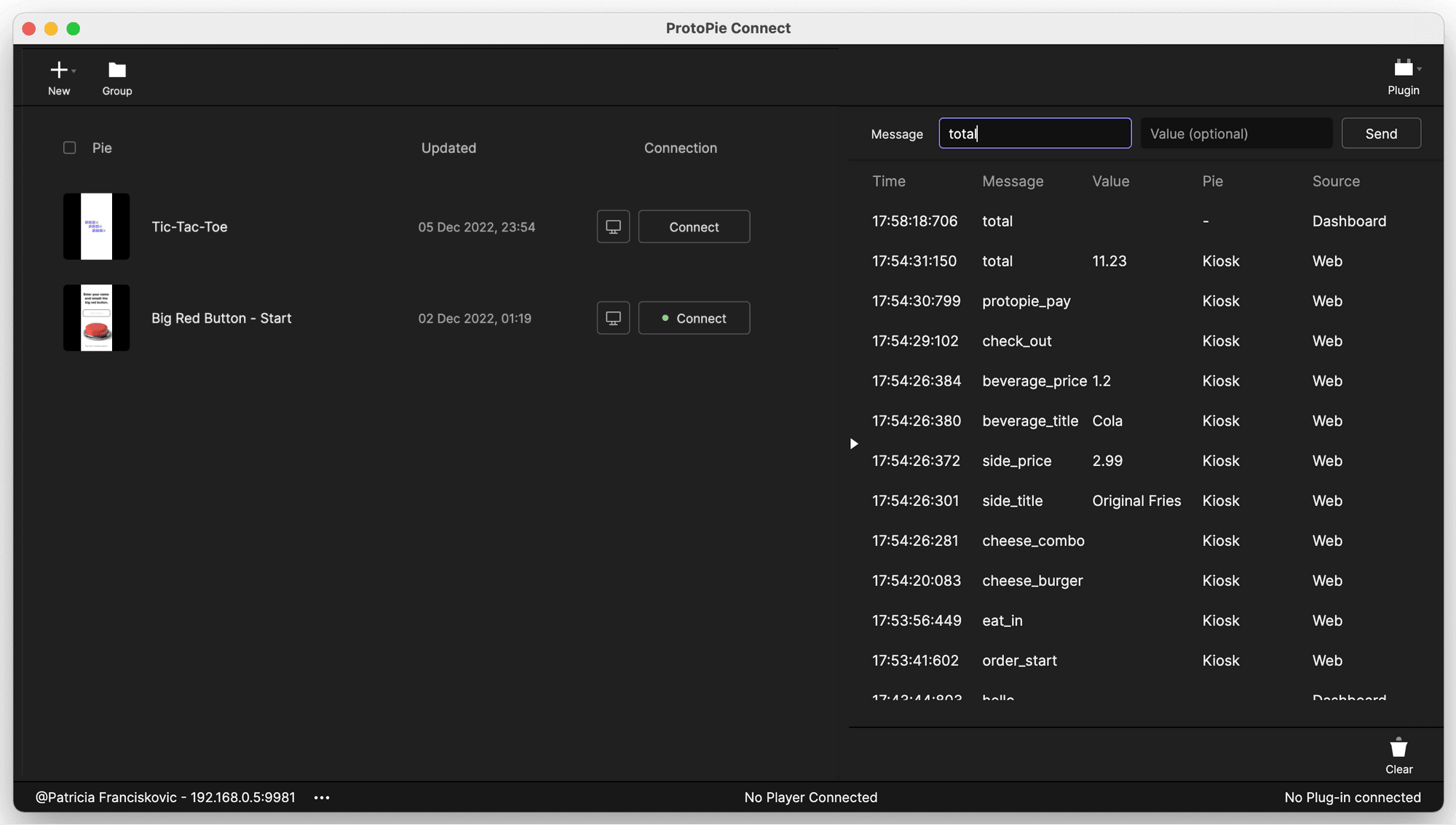
You can see all messages sent and received by all the connected prototypes, custom plugins, and hardware devices on the right side of the ProtoPie Connect interface. For debugging purposes, you can try sending a message from the dashboard and check if it’s received correctly in the prototype.
debug-messages-protopie-connect
How to debug messages in ProtoPie Connect?
You can see all messages sent and received by all the connected prototypes, custom plugins, and hardware devices on the right side of the ProtoPie Connect interface. For debugging purposes, you can try sending a message from the dashboard and check if it’s received correctly in the prototype.