INSIGHTS & INSPIRATION
PRODUCT LEARNING & SUPPORT
INSIGHTS & INSPIRATION
PRODUCT LEARNING & SUPPORT
Account & Login
Plans & Pricing
Billing & payments
Troubleshoooting
Menu
Account & Login
Plans & Pricing
Billing & payments
Troubleshoooting
blokdots > Overview
firmata-can-not-be-uploaded-on-blokdots-error
I get an error message on the blokdots app that Firmata cannot be uploaded. What does it mean?
To be able to communicate with blokdots, the Arduino board needs to be flashed with Firmata, a protocol that allows it to communicate with your computer. Once you open blokdots and plug in your Arduino, blokdots flashes the board with the Firmata automatically. However, in case you get an error message that Firmata cannot be uploaded you can follow these steps to troubleshoot it:
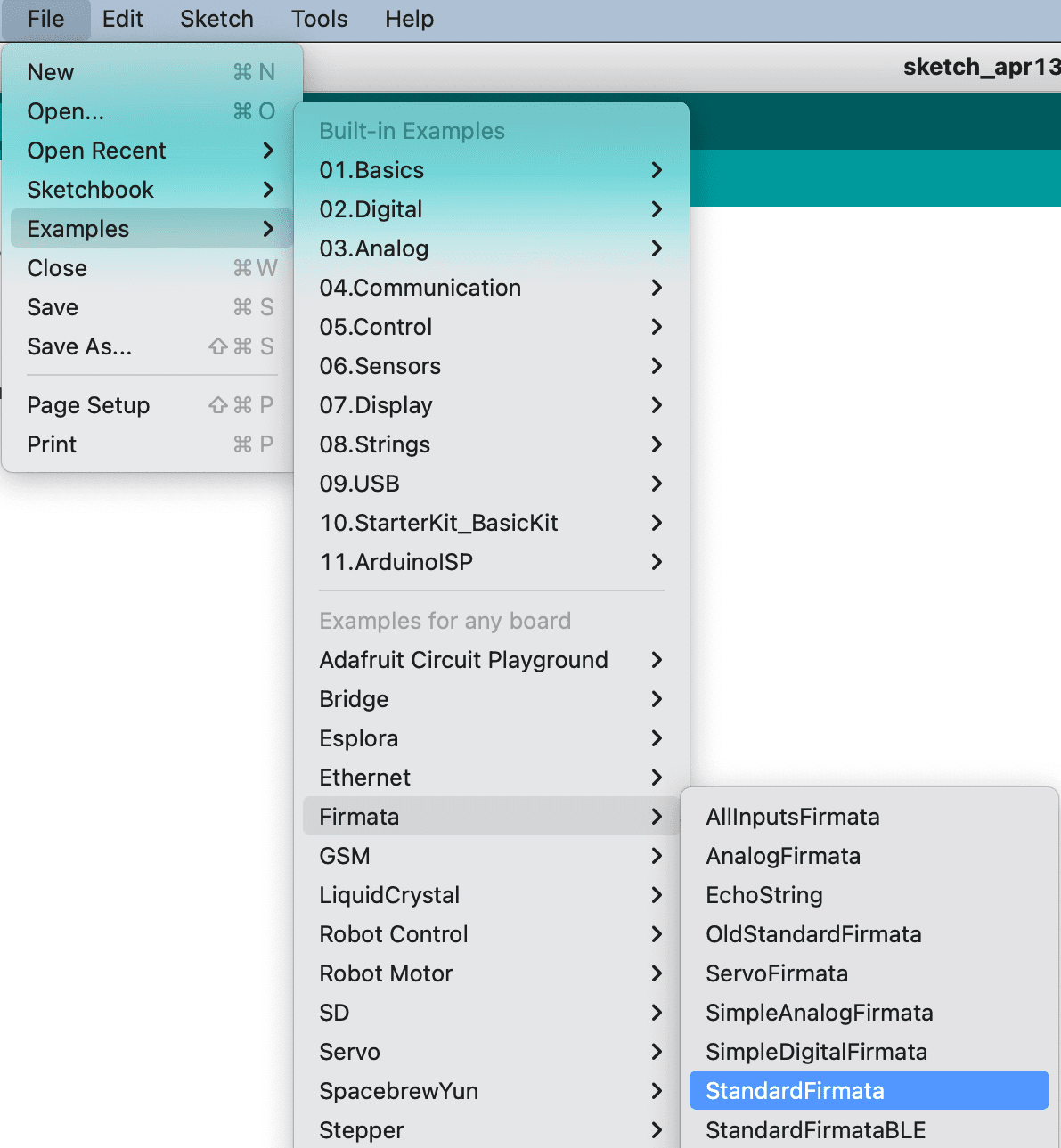
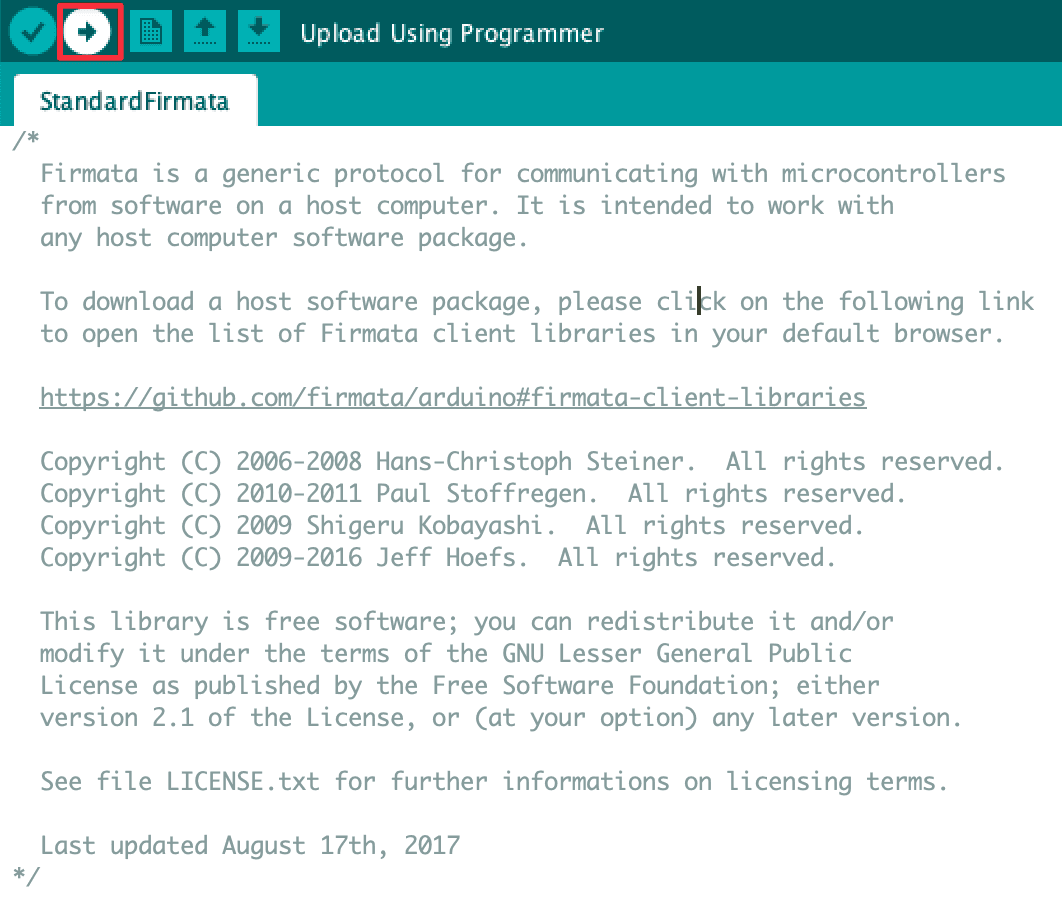
Open Arduino IDE → File → Examples → Firmata → StandardFirmata → Click on the Arrow icon to upload Firmata. Once the sketch is compiled, you will get a notification message that Firmata has been successfully uploaded.
firmata-can-not-be-uploaded-on-blokdots-error
I get an error message on the blokdots app that Firmata cannot be uploaded. What does it mean?
To be able to communicate with blokdots, the Arduino board needs to be flashed with Firmata, a protocol that allows it to communicate with your computer. Once you open blokdots and plug in your Arduino, blokdots flashes the board with the Firmata automatically. However, in case you get an error message that Firmata cannot be uploaded you can follow these steps to troubleshoot it:
Open Arduino IDE → File → Examples → Firmata → StandardFirmata → Click on the Arrow icon to upload Firmata. Once the sketch is compiled, you will get a notification message that Firmata has been successfully uploaded.
arduino-board-not-detected-troubleshoot
My Arduino board is not detected. What should I do?
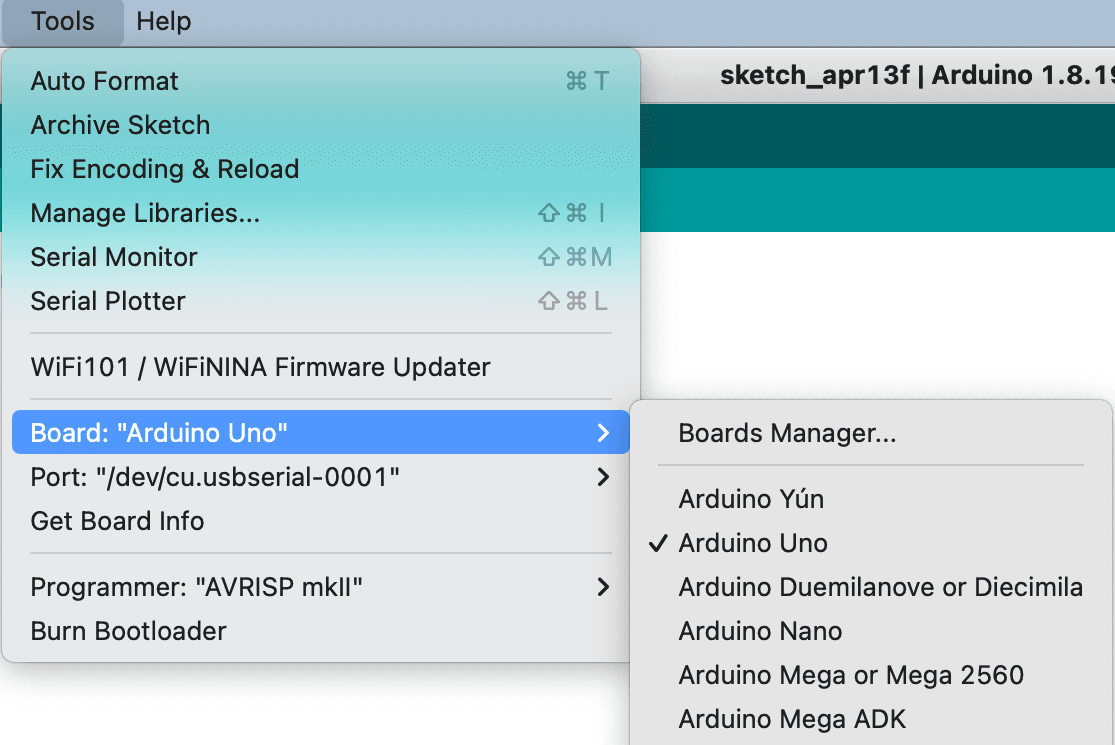
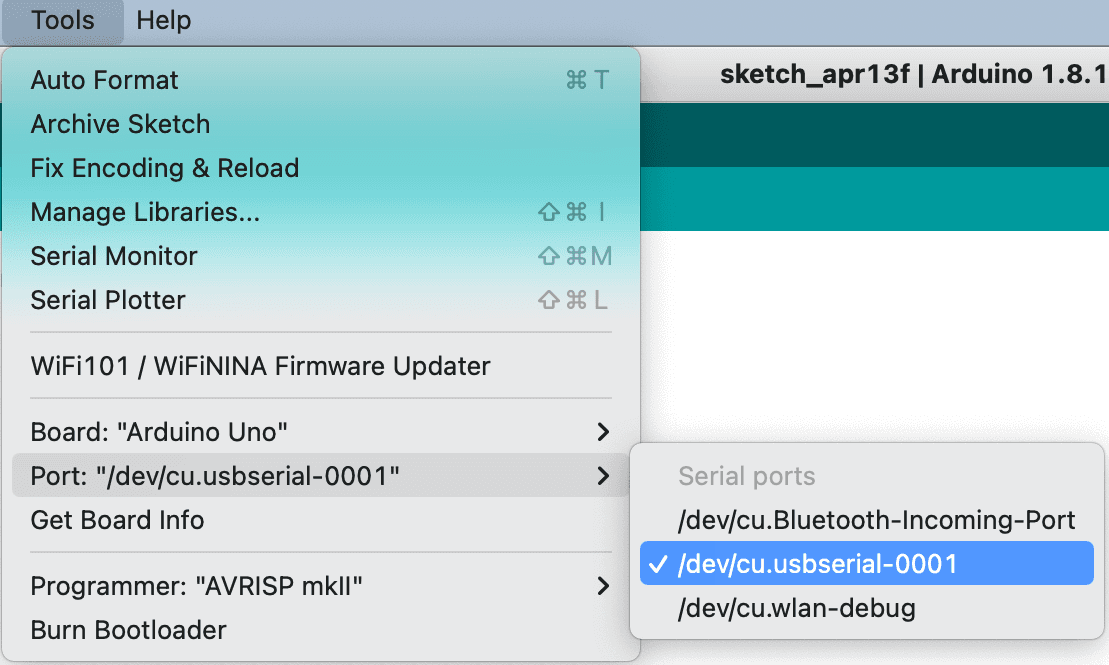
If your board does not appear in the Arduino application Port menu and you get a “Board not connected” message in your blokdots application, please follow these troubleshooting steps.
arduino-board-not-detected-troubleshoot
My Arduino board is not detected. What should I do?
If your board does not appear in the Arduino application Port menu and you get a “Board not connected” message in your blokdots application, please follow these troubleshooting steps.