INSIGHTS & INSPIRATION
PRODUCT LEARNING & SUPPORT
INSIGHTS & INSPIRATION
PRODUCT LEARNING & SUPPORT
Account & Login
Plans & Pricing
Billing & payments
Troubleshoooting
Menu
Account & Login
Plans & Pricing
Billing & payments
Troubleshoooting
blokdots > 概要
firmata-can-not-be-uploaded-on-blokdots-error
blokdotsアプリでFirmataをアップロードできないというエラーメッセージが表示されます。これはどういう意味ですか?
blokdotsと通信できるようにするために、Arduinoボードに Firmata(コンピューターと通信できるようにするプロトコル)を書き込む(フラッシュする)必要があります。blokdotsを開いてArduinoを接続すると、blokdotsは自動的にボードにFirmataを書き込みます。ただし、Firmataをアップロードできないというエラーメッセージが表示された場合は、次の手順に従ってトラブルシューティングを行うことができます。
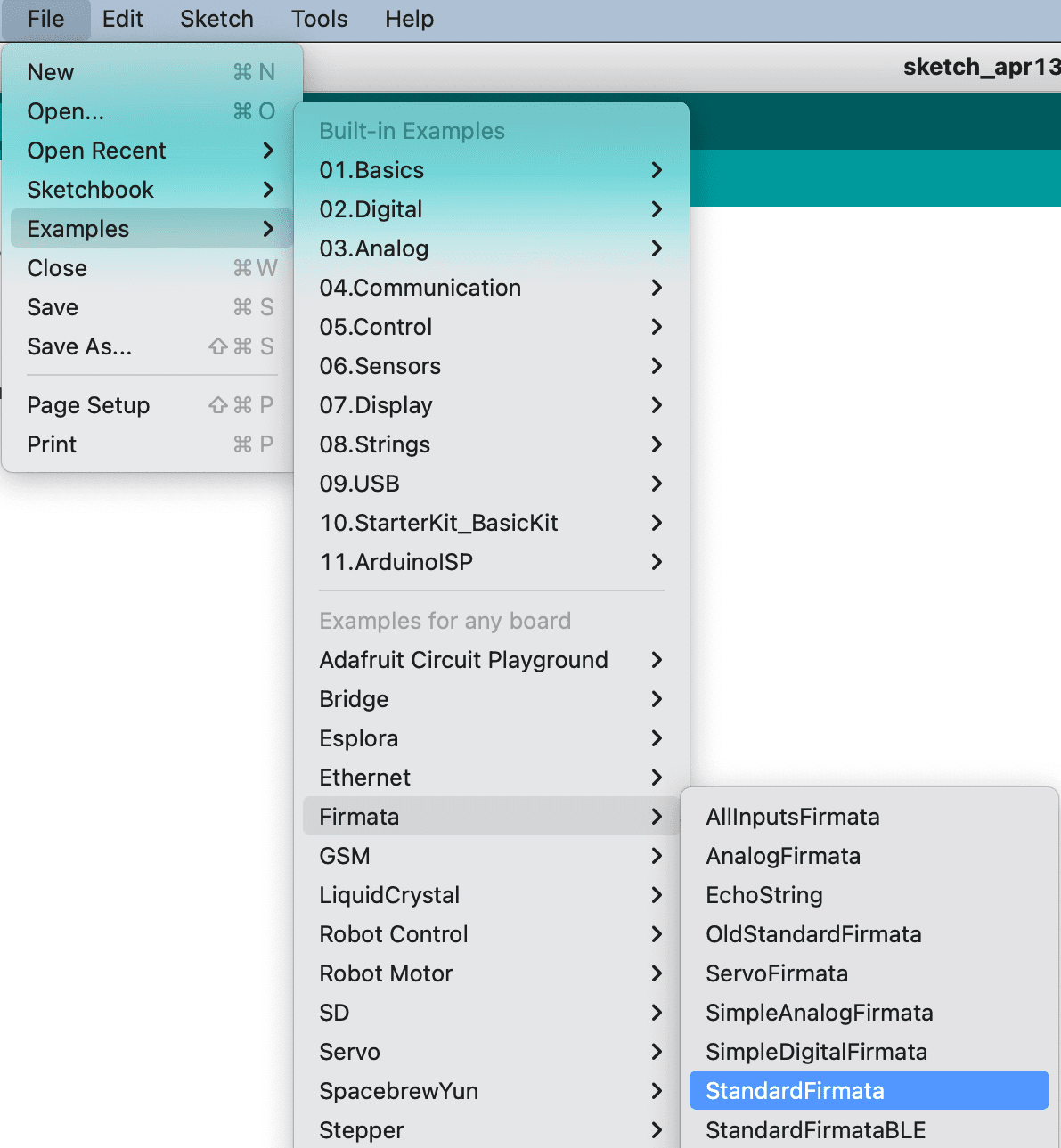
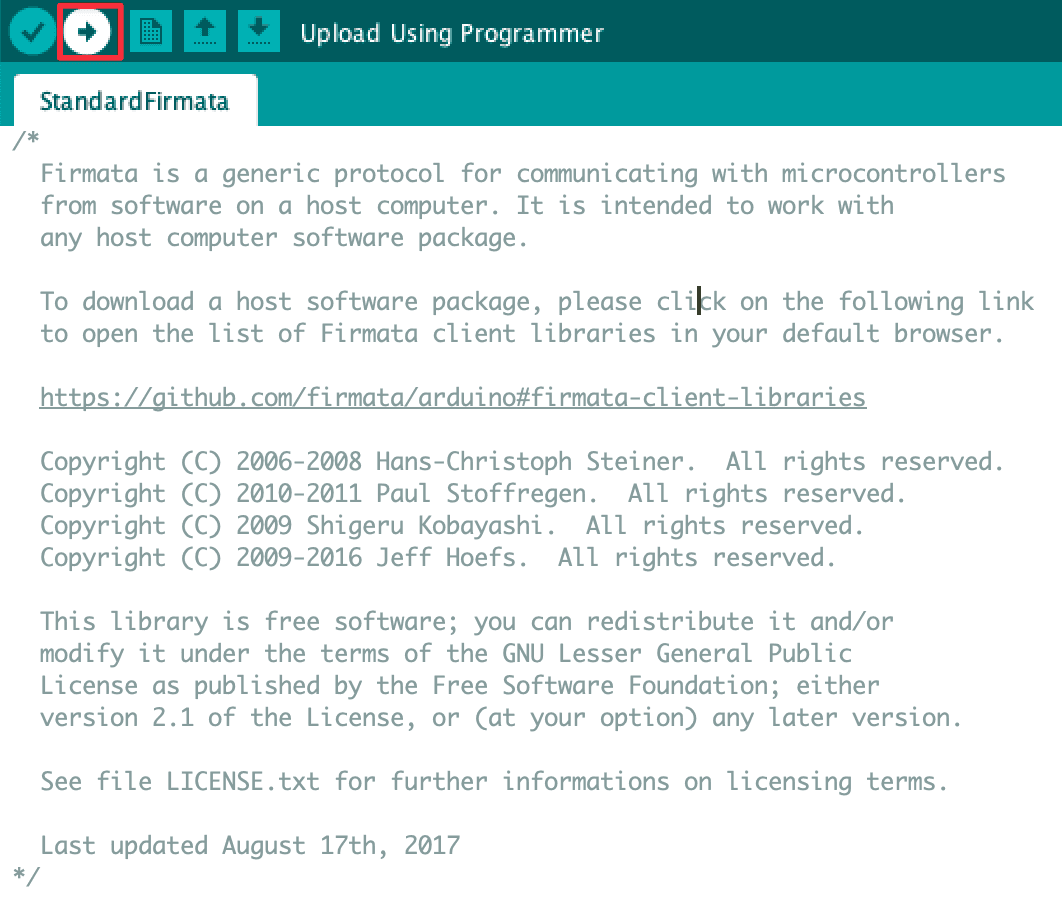
Arduino IDEを開く → ファイル → スケッチ例 → Firmata → StandardFirmata → 矢印アイコンをクリックしてFirmataをアップロードします。スケッチがコンパイルされると、Firmataが正常にアップロードされたという通知メッセージが表示されます。
firmata-can-not-be-uploaded-on-blokdots-error
blokdotsアプリでFirmataをアップロードできないというエラーメッセージが表示されます。これはどういう意味ですか?
blokdotsと通信できるようにするために、Arduinoボードに Firmata(コンピューターと通信できるようにするプロトコル)を書き込む(フラッシュする)必要があります。blokdotsを開いてArduinoを接続すると、blokdotsは自動的にボードにFirmataを書き込みます。ただし、Firmataをアップロードできないというエラーメッセージが表示された場合は、次の手順に従ってトラブルシューティングを行うことができます。
Arduino IDEを開く → ファイル → スケッチ例 → Firmata → StandardFirmata → 矢印アイコンをクリックしてFirmataをアップロードします。スケッチがコンパイルされると、Firmataが正常にアップロードされたという通知メッセージが表示されます。
arduino-board-not-detected-troubleshoot
Arduinoボードが検出されません。どうすればよいですか?
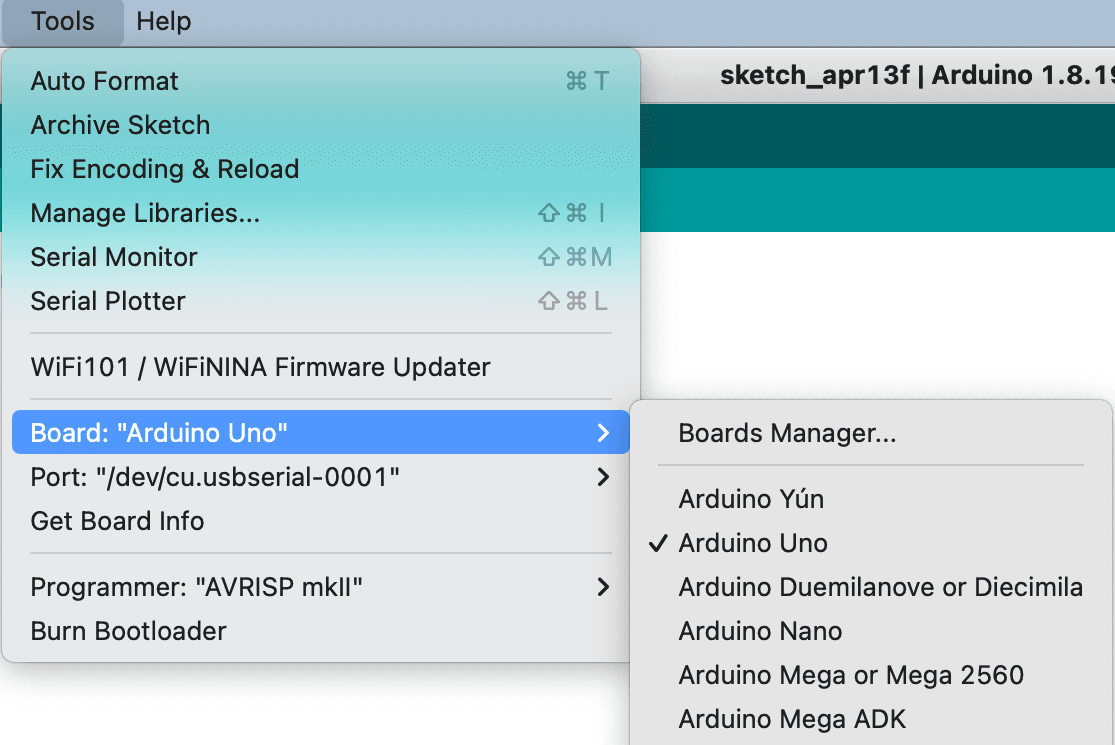
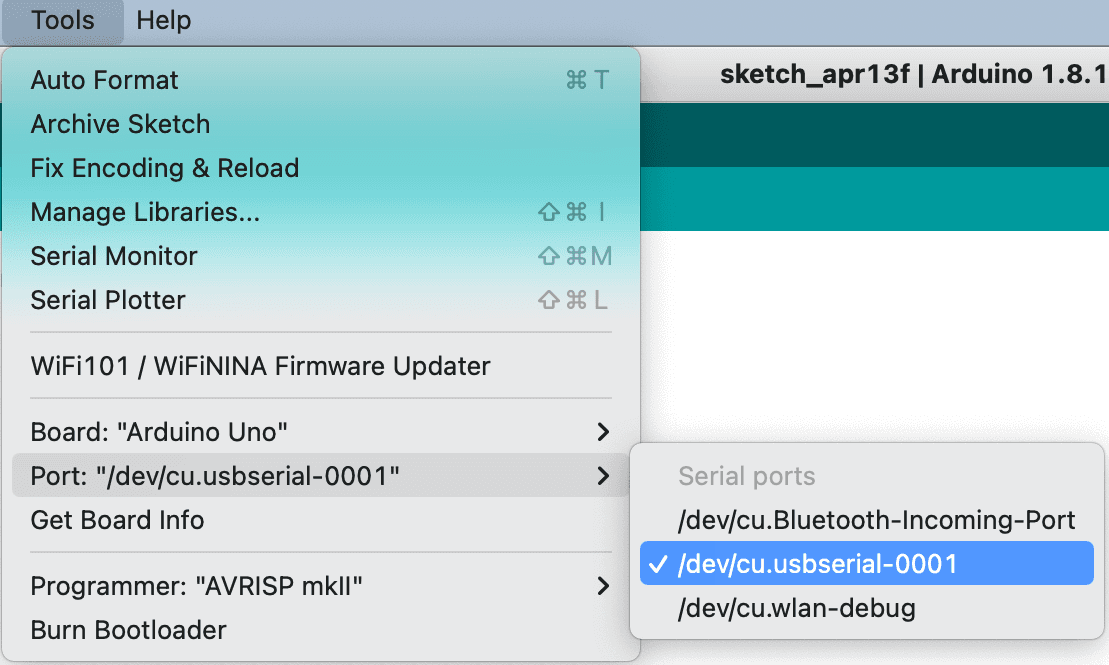
Arduinoアプリケーションの「ポート」メニューにボードが表示されず、blokdotsアプリケーションに「Board not connected(ボードが接続されていません)」というメッセージが表示される場合は、こちらのトラブルシューティング手順に従ってください。
arduino-board-not-detected-troubleshoot
Arduinoボードが検出されません。どうすればよいですか?
Arduinoアプリケーションの「ポート」メニューにボードが表示されず、blokdotsアプリケーションに「Board not connected(ボードが接続されていません)」というメッセージが表示される場合は、こちらのトラブルシューティング手順に従ってください。