Ensuring the security of our Enterprise customer’s data is one of our top priorities.
We know organizations can’t afford risking that the prototypes they share through ProtoPie Cloud might get into the wrong hands and cause data leaks.
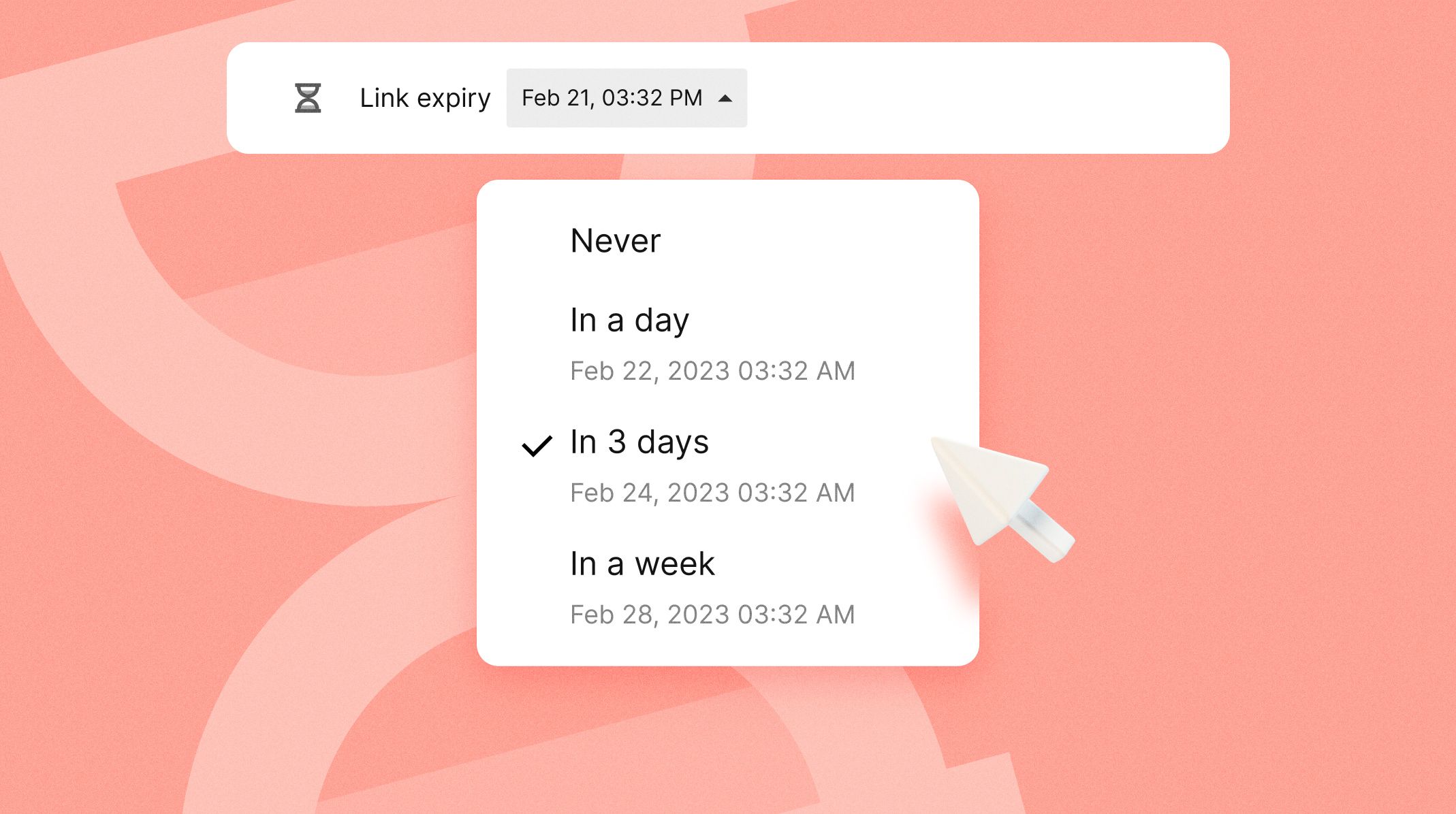
For this reason, we have introduced expiring links on ProtoPie Cloud. Enterprise teams can now configure how many days a prototype’s link should remain accessible after it is generated.
This feature is only available in the Enterprise plan.
Where to configure Expiring Links
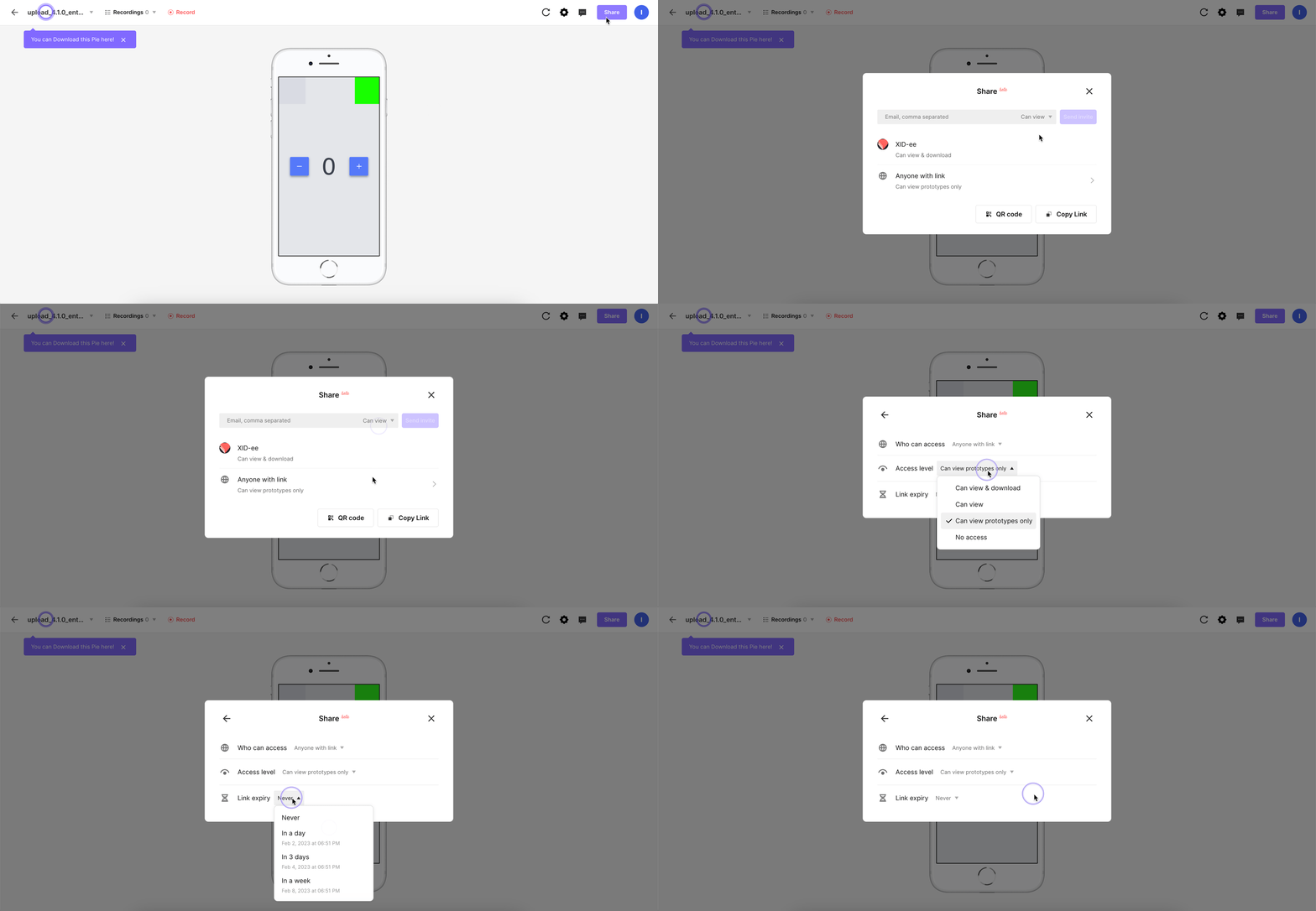
To set a link expiration on ProtoPie Cloud, follow these steps:
Click on Share in the upper-right area of the pie page.
Click on the section below the space owner’s name.
Define Who can access and the Access Level.
Select the timespan of the expiration.
Configuration Options
The default expiration timespan is Never.
Choose between the following:
In a day
In 3 days
In a week
The timespan is exact as it also considers the time the expiration was set.
Access Level Options
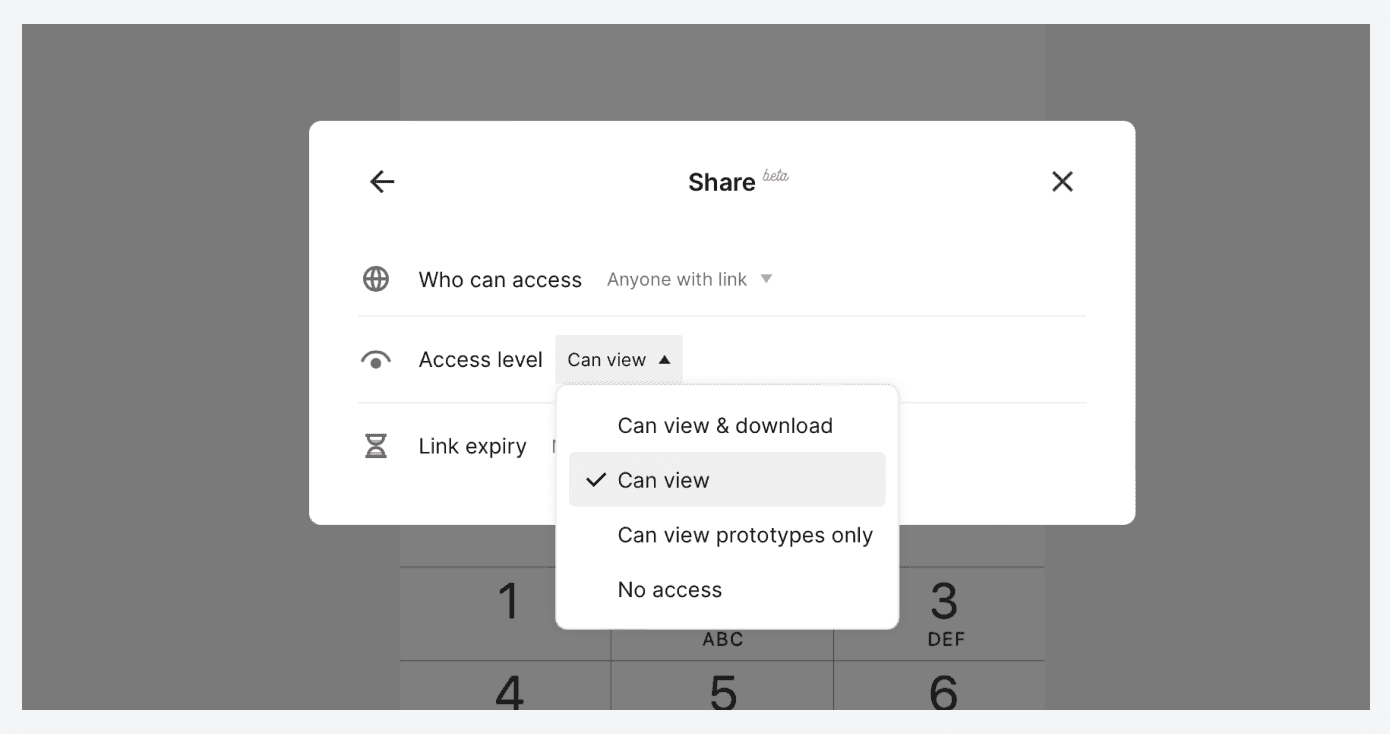
The default access level is No access. Other options are:
Can view & download
Can view
Can view prototypes only
Get started today
Subscribe now and discover endless possibilities with ProtoPie.