

We are excited to announce that ProtoPie AI has officially graduated from its open beta phase.
Based directly on your feedback, this official release is much more than a label change. We are introducing powerful Component AI authoring, an entirely revamped and transparent billing system, and crucial stability fixes. Here is everything you need to know.
Major update: Say hello to component AI authoring
One of the limitations during our beta was that AI could not easily manage or create reusable components. With this official launch, ProtoPie AI now supports local component authoring. You can seamlessly convert existing layers into local components, add or swap component instances, and override component variables entirely through natural language prompts.
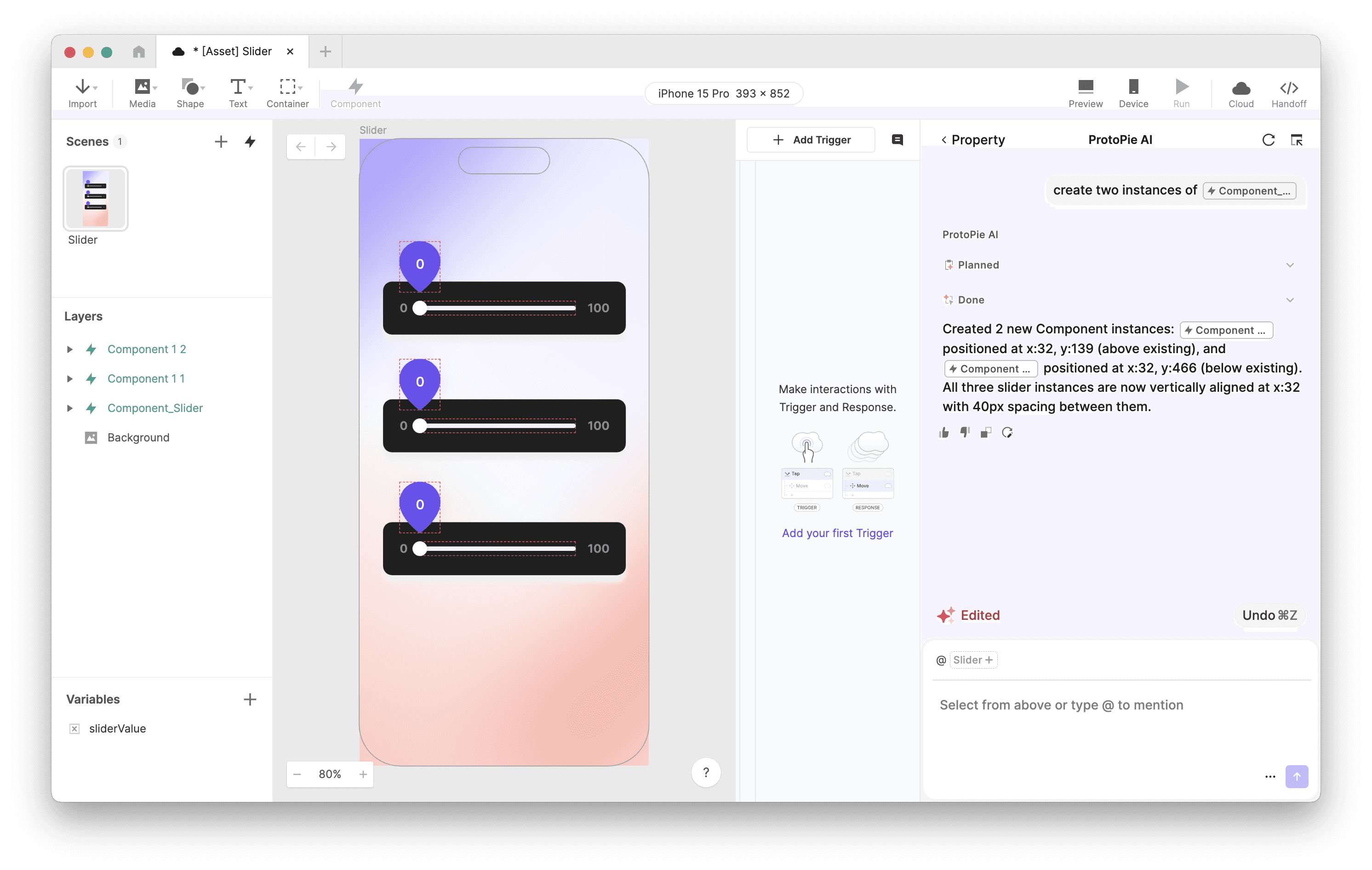
You can also instruct Studio AI to combine specific layer states into a single, unified component. For example, you can now enter complex prompts such as:
"Turn @Layer into a component and create 5 instances,"
"Make these options into a component so only one can be selected at a time," or
"Create instances of @Component, each showing different content".
To power this, Studio AI now has deep context awareness of your workspace. It actively references your selected layers, understands your scene structure, reuses existing variables instead of creating duplicates, and remembers earlier requests made within the same session.
Tracking credit usage
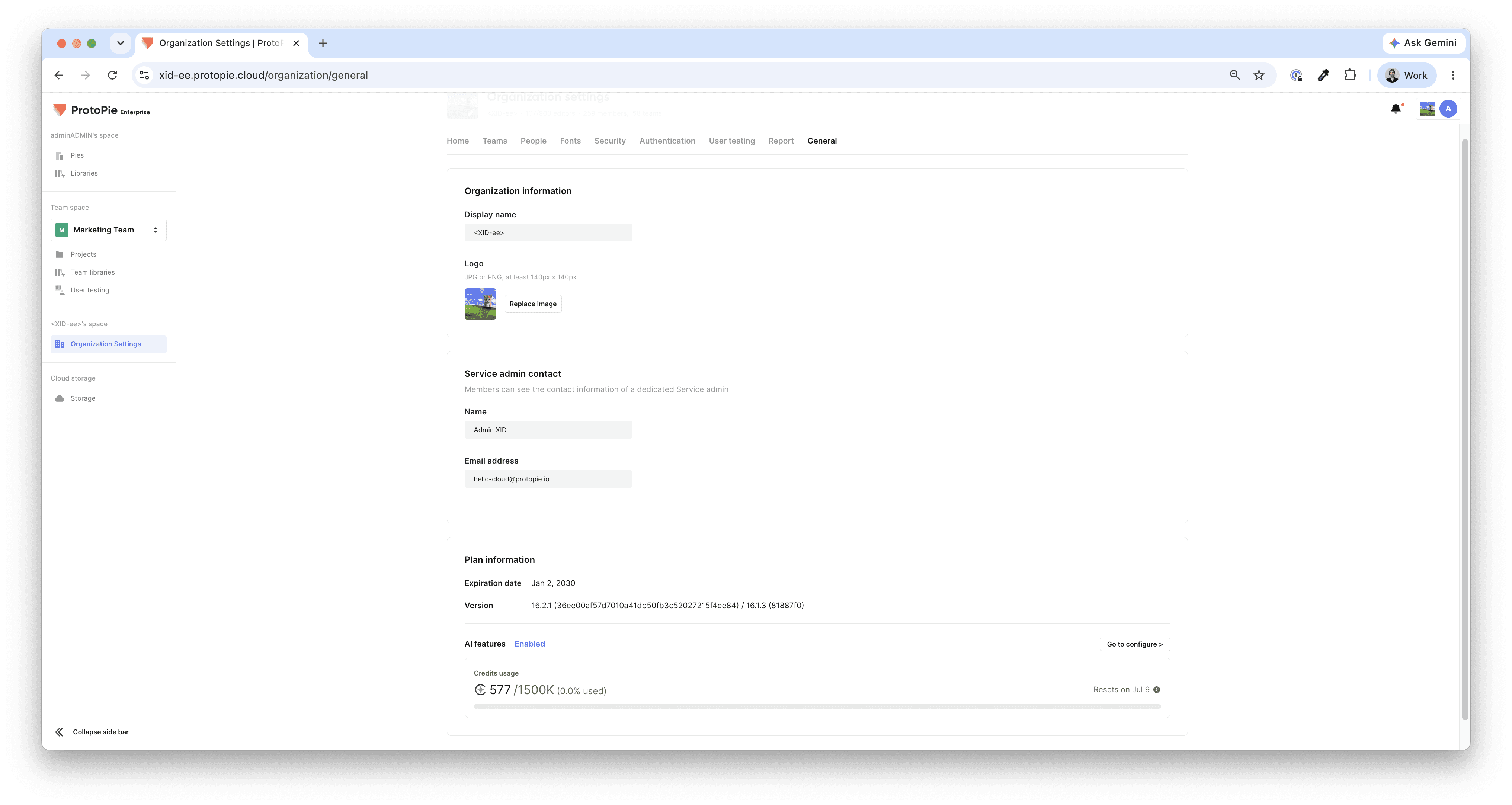
Team Owners and Admins can view remaining credits and the next reset date under the General tab in the Team/Organization dashboard. The Cloud page also features a visual progress bar for quick tracking. To ensure you never run out, both the Studio and Cloud dashboards will alert you when your credit balance drops to 10% or below.
Alongside these updates, this release also includes stability improvements for the ProtoPie Studio experience. Check the full release note here.
Mastering your prompts: best practices for AI prototyping
ProtoPie AI works best when it can easily read and reference existing, clearly-defined elements in your layer structure. Because it builds interactions based on your property data, the way you organize your file is key. To get the absolute best results with this official release, we recommend following these best practices:
Prepare and name your layers: Always create your necessary layers (text, shapes, images) and give them descriptive names before prompting the AI. The AI understands "submitButton" far better than it understands "Rectangle 3". Include initial content that reflects intended behavior, like setting a toggle label to "OFF" or a counter to "0".
Use @ mentions: For ultimate precision, reference your layers directly using @ mentions. For instance, prompting "Make @submitButton turn gray when tapped" yields much better results than vaguely asking to "Make the submit button turn gray".
Be specific: Break down your instructions to be as explicit as possible. Instead of saying "Make a counter," try, "When the Start trigger fires, increment the counter variable and display it in the @counterDisplay text layer". Clearly specify the triggers (e.g., "on tap," "on drag"), the start and end states, and relevant timing like duration and delay.
Break down complexity: Do not attempt to build a massive, multi-tiered interaction in a single prompt. Break your needs down into simpler, step-by-step requests, and use follow-up prompts to refine the AI's previous outputs.
Remember, you always maintain full control. If the AI is generating an interaction and you change your mind, simply click "Stop". If you stop the AI during task execution, it will revert its edits and bring back your prompt input. If you click "Revert" after the AI completes its task, it will undo the most recent changes, provided you haven't made manual scene edits yet.
Want to see ProtoPie AI in action?
Our Creative Technologist, Mickey, puts the AI to the test with real prompts, unedited outputs, and a live Q&A session tackling real scenarios from designers and product teams.
Looking ahead
The official release of ProtoPie AI is a leap forward for scalable, high-fidelity prototyping. By combining the speed of natural language generation with the precision of manual editing, we are helping you build test-ready prototypes faster than ever before.
Open ProtoPie Studio today to try Component AI and experience the future of interaction design!