

INDUSTRIES

自動車

航空・宇宙

金融

ゲーム

メドテック

IoT

デジタルプロダクト

USE CASES

エンタープライズ向け

個人向け

チーム向け

教育向け

KEY FEATURES

ハードウェア・システム統合

Beta

ProtoPie MCP

マルチデバイス・プロトタイピング

インタラクション・ロジック

開発者へのハンドオフ

ProtoPie AI

New

ユーザーテスト

PLUGINS

Figma

Sketch

Adobe XD

INSIGHTS & INSPIRATION

ブログ

eBook

カスタマーストーリー

イベント&ウェビナー

ProtoPie ギャラリー

PRODUCT LEARNING & SUPPORT

ProtoPieスクール

ProtoPieをダウンロード

製品ドキュメント

コミュニティ

INDUSTRIES

自動車

航空・宇宙

金融

ゲーム

メドテック

IoT

デジタルプロダクト

USE CASES

エンタープライズ向け

個人向け

チーム向け

教育向け

KEY FEATURES

ハードウェア・システム統合

Beta

ProtoPie MCP

マルチデバイス・プロトタイピング

インタラクション・ロジック

開発者へのハンドオフ

ProtoPie AI

New

ユーザーテスト

PLUGINS

Figma

Sketch

Adobe XD

INSIGHTS & INSPIRATION

ブログ

eBook

カスタマーストーリー

イベント&ウェビナー

ProtoPie ギャラリー

PRODUCT LEARNING & SUPPORT

ProtoPieスクール

ProtoPieをダウンロード

製品ドキュメント

コミュニティ

Ask ProtoPie

1

分で読める

How to Use Components in ProtoPie

This session dives into how to master communication between Components and Scenes in ProtoPie.

ProtoPie、

This session dives into how to master communication between Components and Scenes in ProtoPie.

What you’ll learn

  1. Components - Prototype within a prototype

  2. ProtoPie's messaging system - Send response & Receive trigger

  3. Smart home app tutorial

In this ProtoPie tutorial, you’ll be able to make something like this.
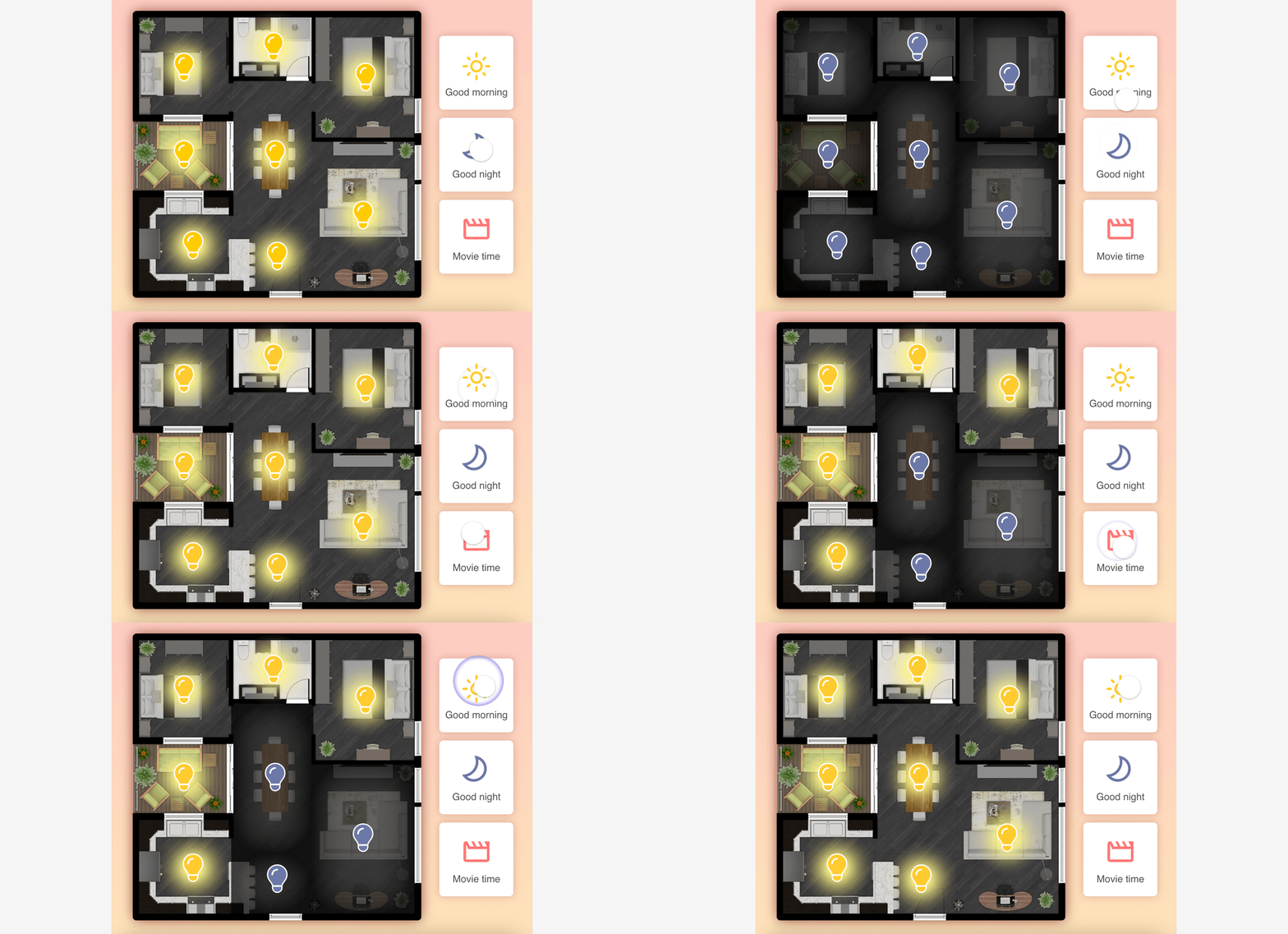

Smart home prototype using Send and Receive.


Smart home prototype using Send and Receive.

Starting Pie FileCompleted Pie File

Video

Learn more

ProtoPie School: ProtoPie’s free learning content designed to help you build your prototyping expertise. Enroll for free.

Components - Getting Started

Intro to ProtoPie Connect 1 of 7: Use Send and Receive to Make Multiple Pies Talk in Studio